Add Allow a manager role to add users
Admin rights can be given to managers so that they can add/remove users from their own company only. This is vital when setting up a multi-tenanted account where you want companies to manage their own data.
📘 Instructions
Follow these step by step instructions …
Log in as admin and go to System Setup > Organisation > Roles and edit the appropriate Manager role.
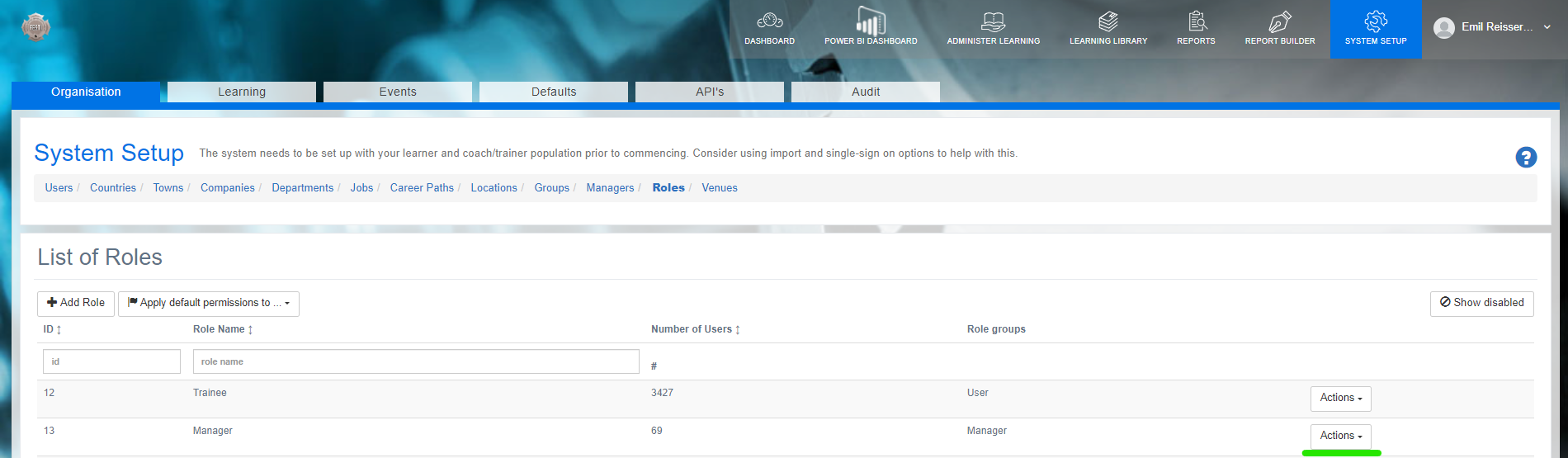
Note that the roles are password protected so contact support if you wish to make changes.
Go to the permissions and edit the following permission ‘Users >
system-setup-organisation-users’, changing Add as shown to a green tick.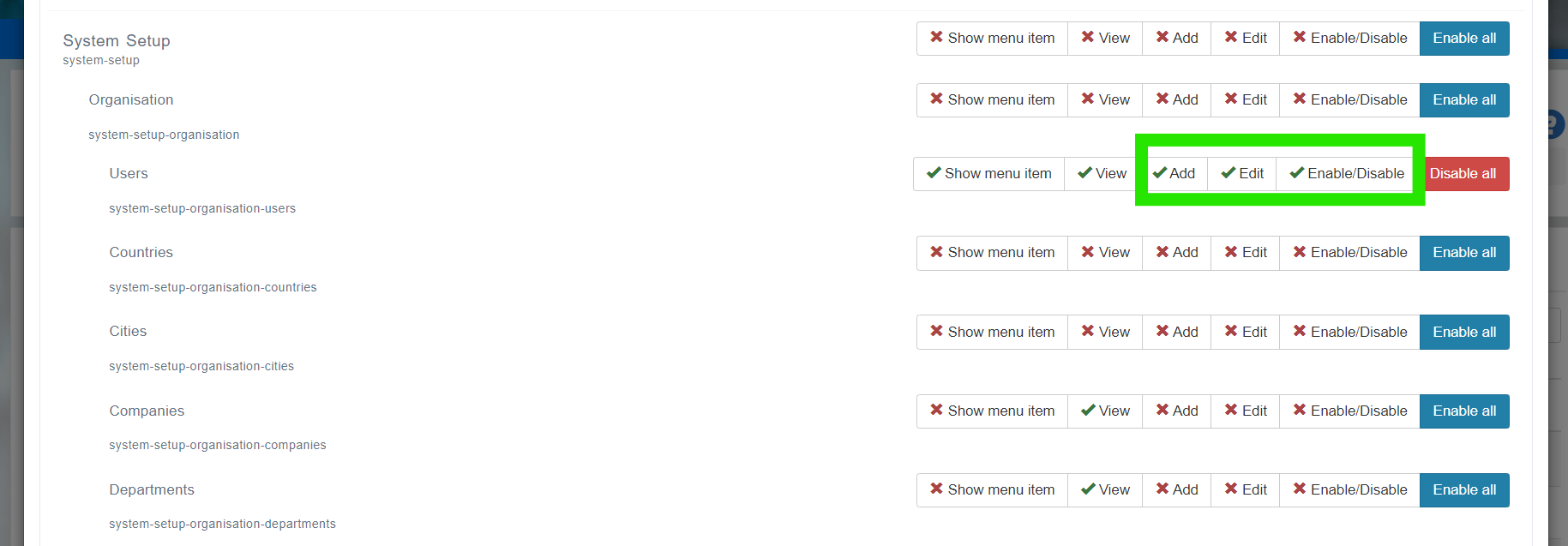
Log in as a manager and you should now see this interface at the start of your management dashboard.
You will need the latest version of Open eLMS - Coeus - to see this functionality.
Managers will add users who can affect the licensing. Check with Open eLMS that you have an unlimited licence or are reselling the LMS before allowing this permission to be set.
📋 Related articles
- Page:Adding eLearning to Go1
- Page:Add a Lesson to Udemy
- Page:Convert a course from documentation
- Page:Set Up Lessons ibn the Media Library
- Page:Create a animated video advert