Add Skills Monitoring Programme
Skills Monitoring Programmes effortlessly monitor personnel skills and link them directly to associated training. Skills get automatically refreshed upon completion of relevant training modules, ensuring your team is always prepared for action.
📘 Instructions
To set up a skills monitoring programme follow these instructions.
Log in as an administrator
Access the Learning Library
Select the Learning Programmes tab.
Press Add
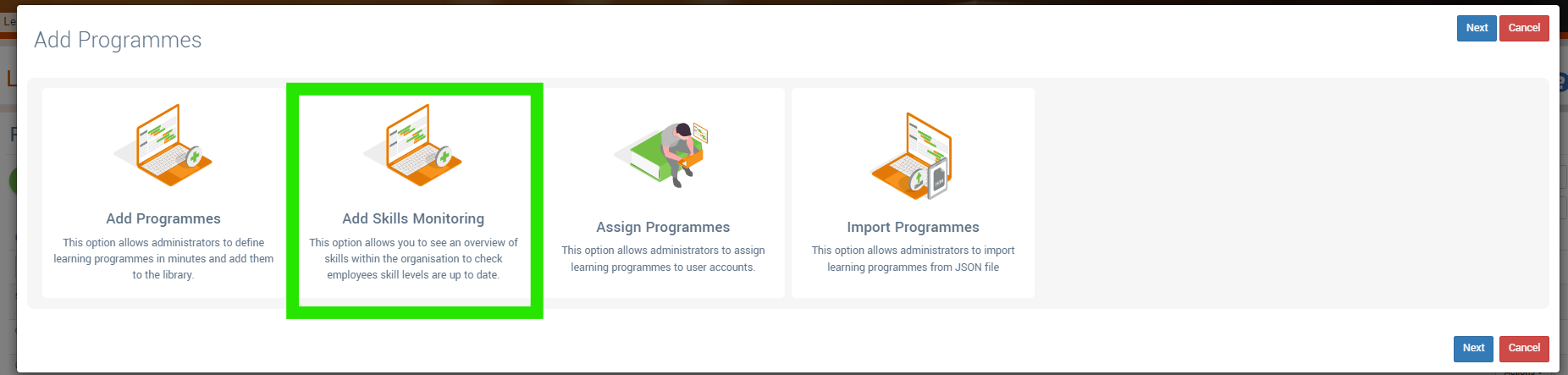
Select Add Skills Monitoring Programme
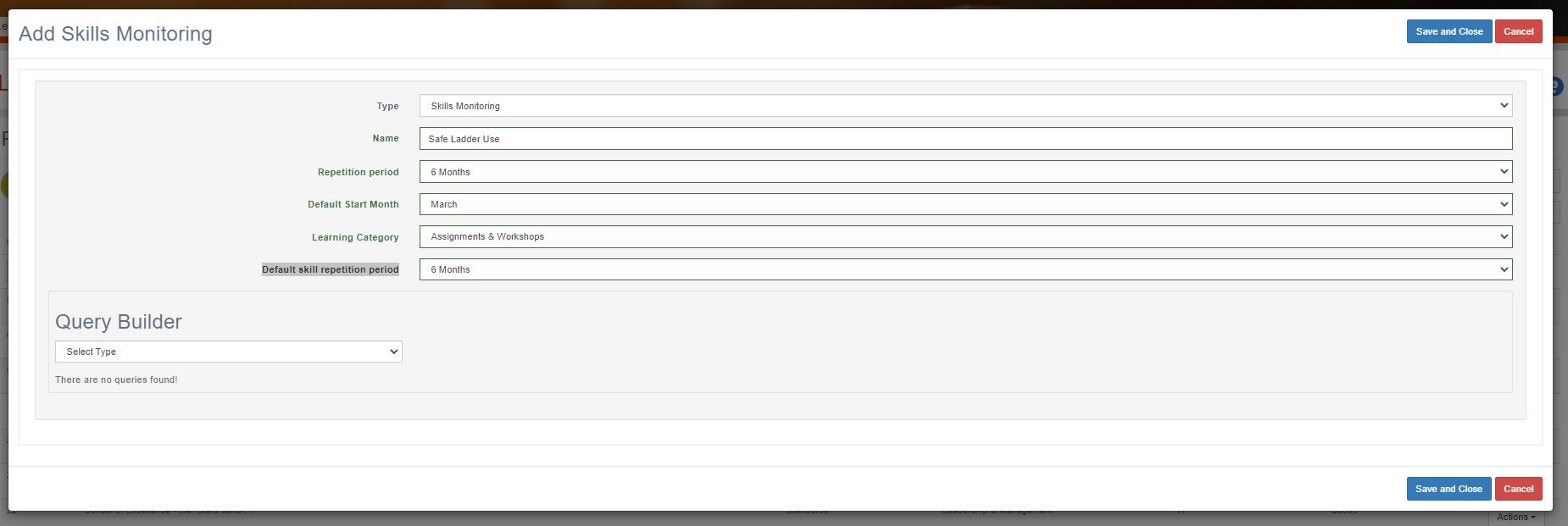
Enter Details. The Repetition period is the how frequently the programme is reassessed, the Default skill repetition period is the default frequency with which any skills in that programme are refreshed (i.e. a skill may be refreshed every month, but the programme is signed off every 6 months.) Usually these values are the same.
Press Save and then edit that programme again by finding it in the table (last record) and press Actions > Edit.
Now you can add + Add Outcomes

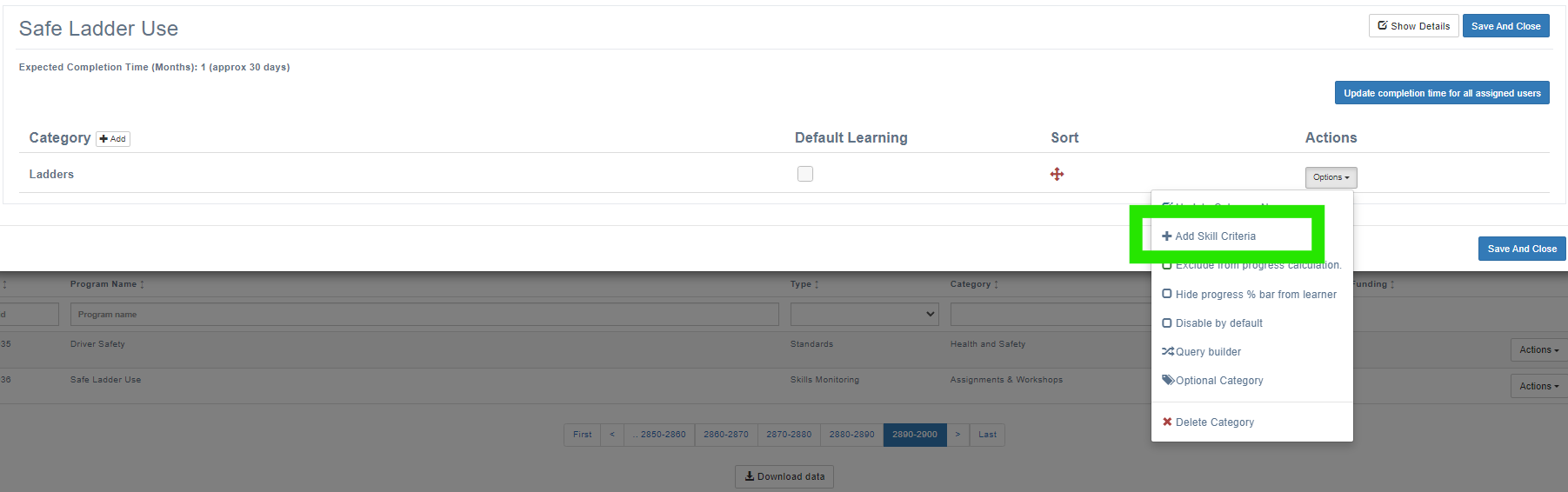
+ Add Skill Criteria
Then add skills to that criteria by pressing on the Default Learning checkbox by the desired skill criteria and then + add skills.
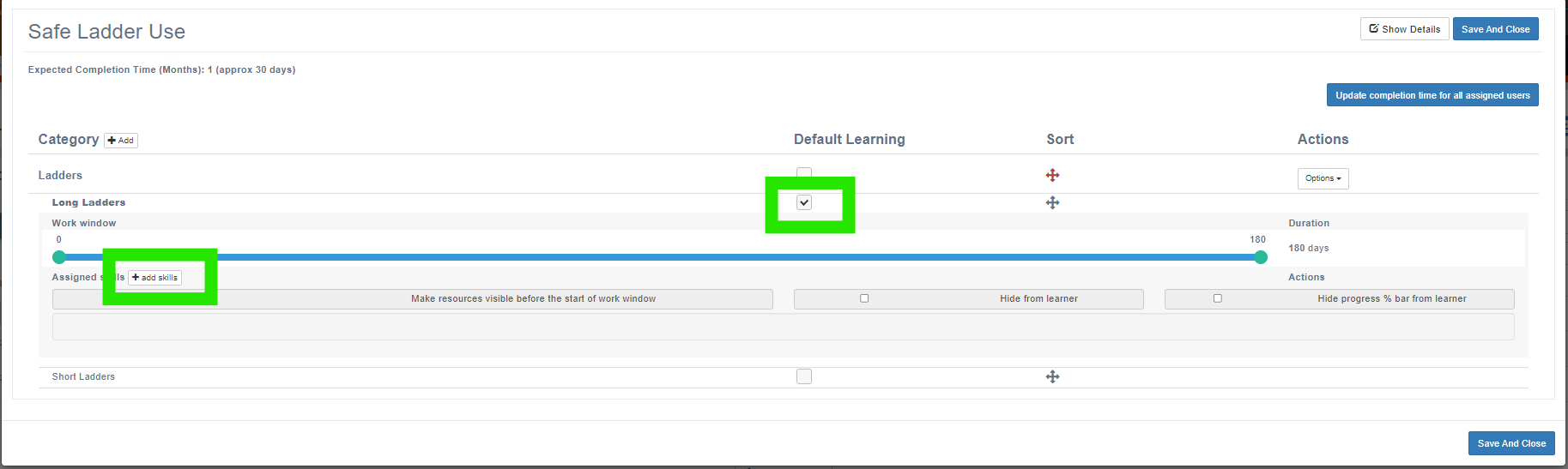
These skills are defined in the Learning Library adn can have learning and frequencies defined within them.
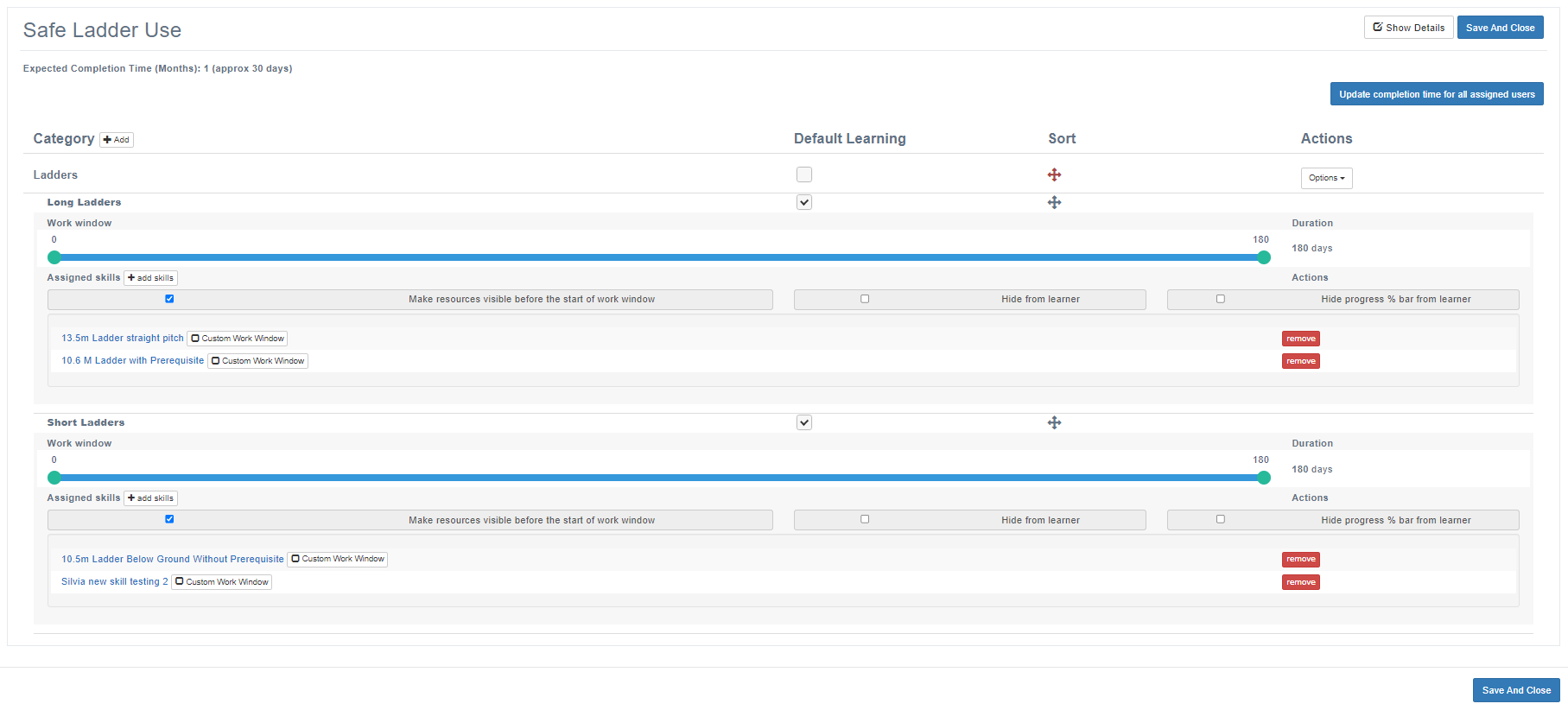
Windows when work is due to be done refreshing these skills can be defined by moving the sliders.
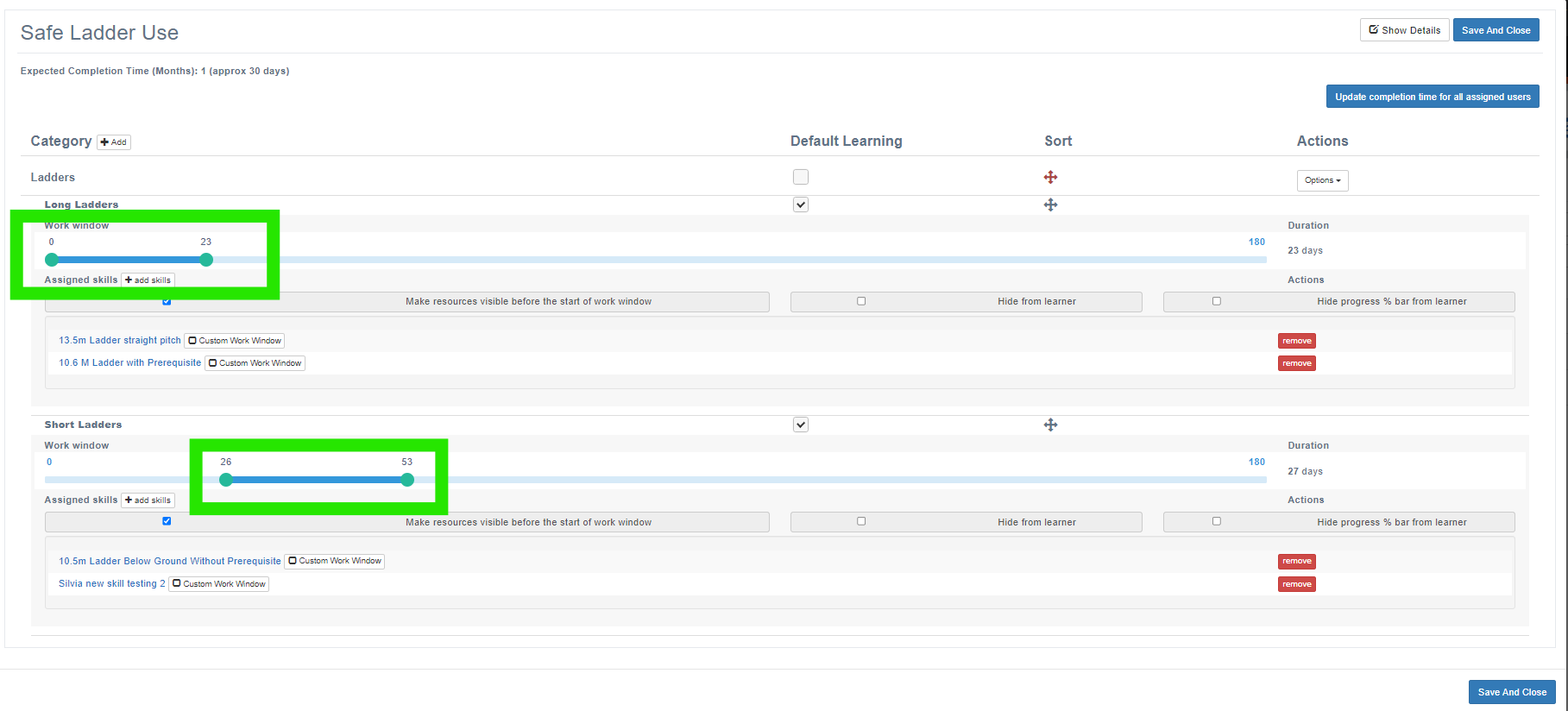
The skills programme is now ready to be assigned to personnel.
Skills Monitoring is only available to Enterprise users of the system who have the Blue Light Services module.
📋 Related articles
- Page:
- Page:
- Page:
- Page:
- Page: