Troubleshooting: Quality Assurer Cant See Learning Resource Details
Problem
A quality assurer cannot see Learning Resource details. When viewing a learning resources they see Null fields (i.e. no file links, comments or descriptions).
Solution
It is necessary to give the Quality Assurer a Management role and assign personnel to that QA (if they do not have access to all people.
Log in as an administrator and go to System Setup > Organisation > Roles > Page Access/Edit for the QA role.
NB Role access is passworded - contact Open eLMS if you wish to make changes - any incorrect settings other than those described here can cause unpredictable behaviour.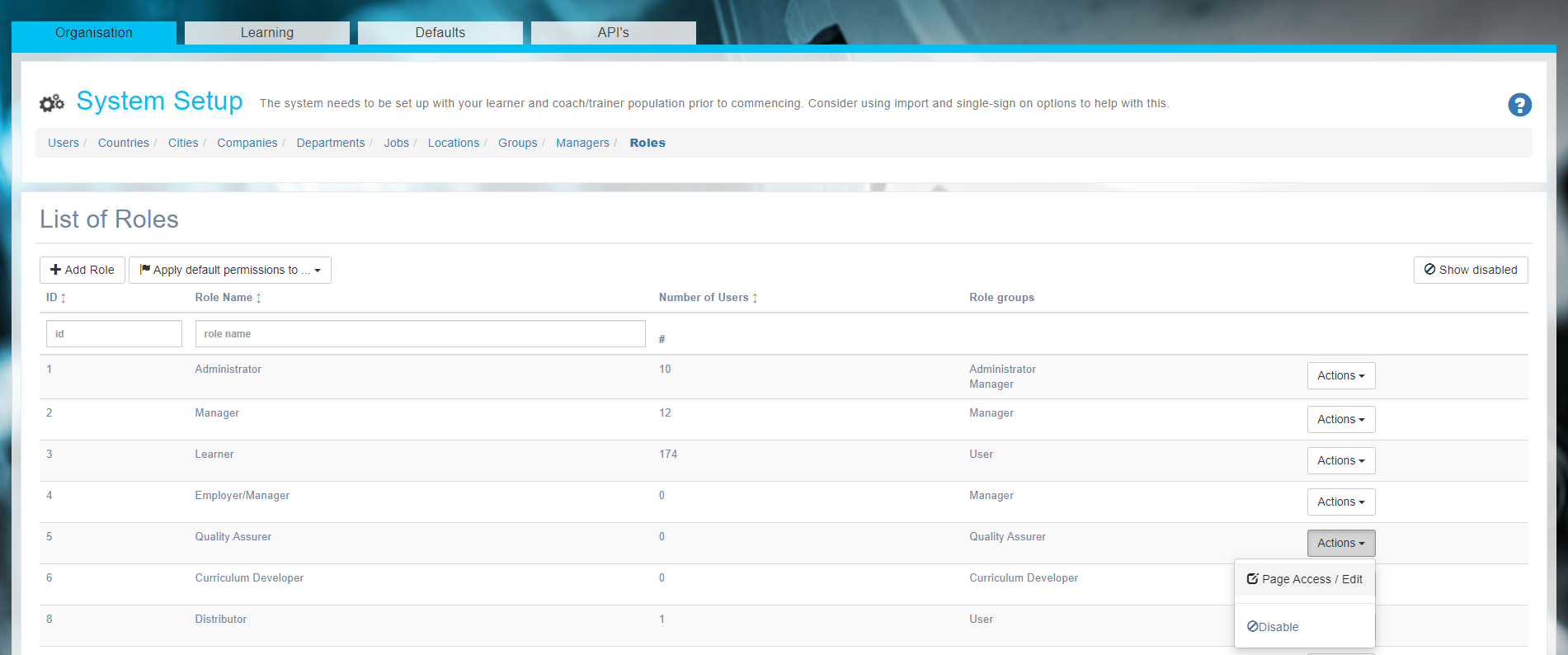
Click the Edit button at the top of the screen.
If the Access to All Users is unchecked (bottom of screen), then you need to ensure the Manager checkbox is checked.
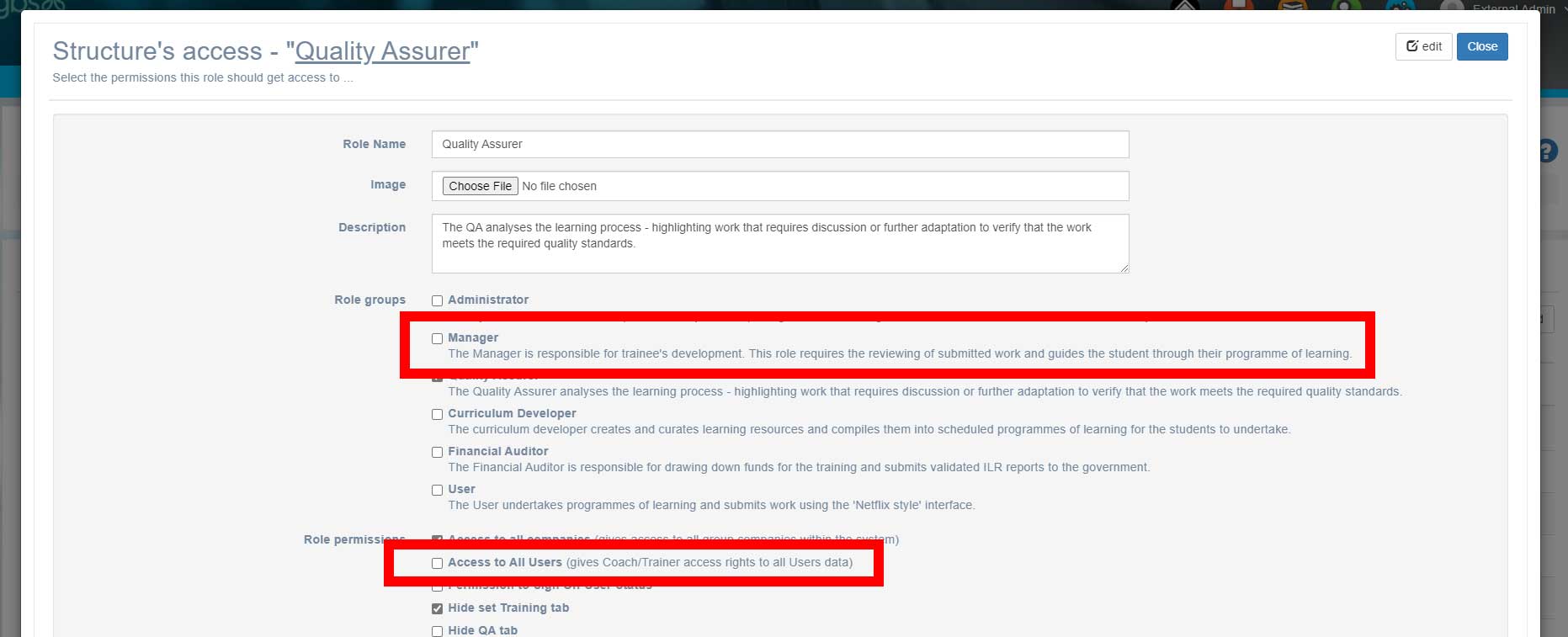
Now assign leaners to the QA role as if he/she were a manager (System Setup > Organisation >Managers and assign learners for whom that QA has visibility.
Note default settings will assign QAs to everyone, this is only necessary if you want a QA to have access to a selected number of personnel.
Related articles
- Page:
- Page:
- Page:
- Page:
- Page: