Set up default filters for the learner
When logging in the filters at the top of the screen can be set to a default state the very first time the learner uses the system (after that the filters will be saved as the last set status.)

📘 Instructions
Follow these steps to set up the default filter settings.
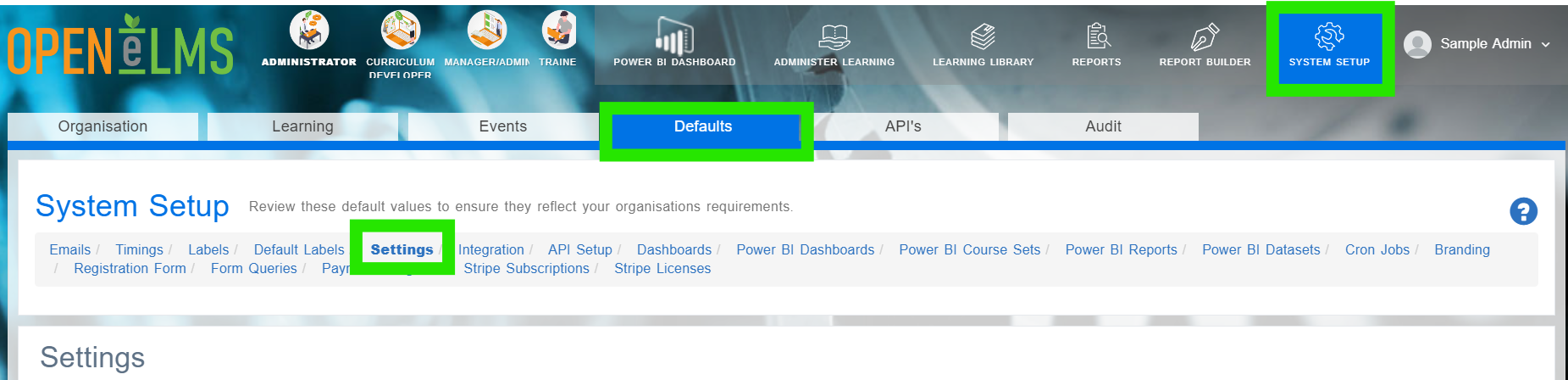
Login as an Administrator and go to System Setup/Defaults/Settings.
Find the keys in the table called isLearningOutsideProgrammeVisibleonFirstLogin, isCompletedLearningVisibleonFirstLogin, isInProgressLearningVisibleonFirstLogin, isNotStartedLearningVisibleonFirstLogin, isLockedLearningVisibleonFirstLogin, isEnrollableLearningVisibleonFirstLogin, isRefresherLearningVisibleonFirstLogin, isMandatoryLearningVisibleonFirstLogin and isFavouriteLearningVisibleonFirstLogin.
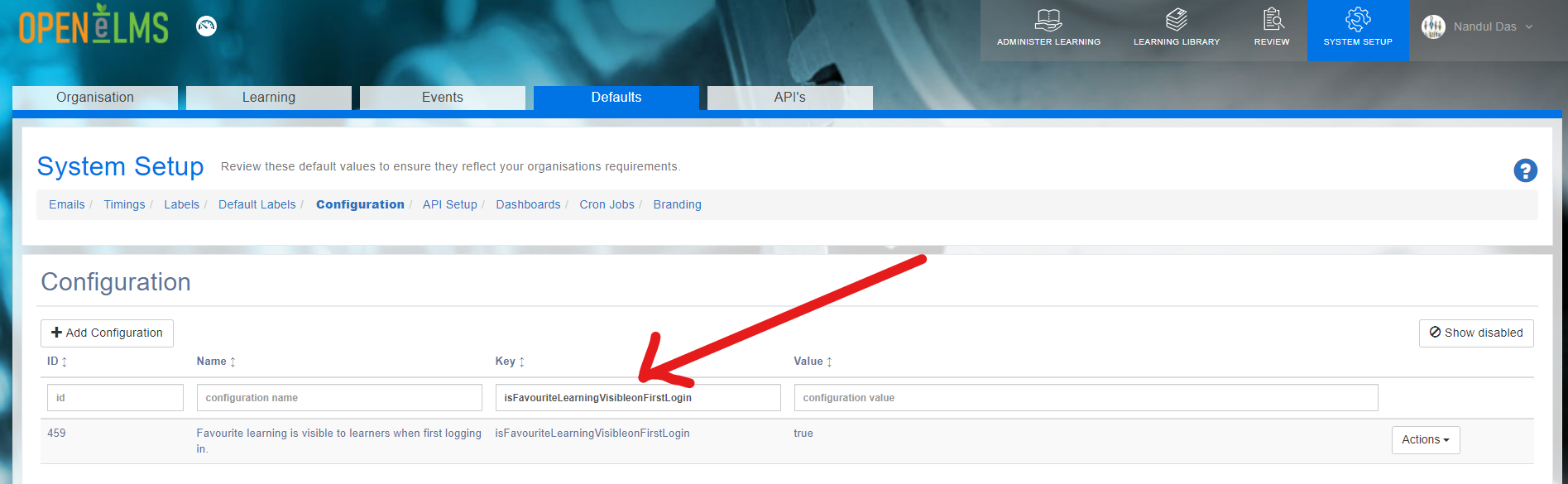
Edit each value and change to True/False dependent upon preference.
This can only be tested with a new account that has never been used previously.
📋 Related articles
- Page:
- Page:
- Page:
- Page:
- Page: