Multi-Factor Authentication
Multi-factor authentication is an electronic authentication method (in this case using the Google, Microsoft etc Authenticator app) in which a computer user is granted access to Open eLMS after successfully presenting two pieces of evidence. Enabling this on your installation is a very simple process.
📘 Instructions
Follow these steps
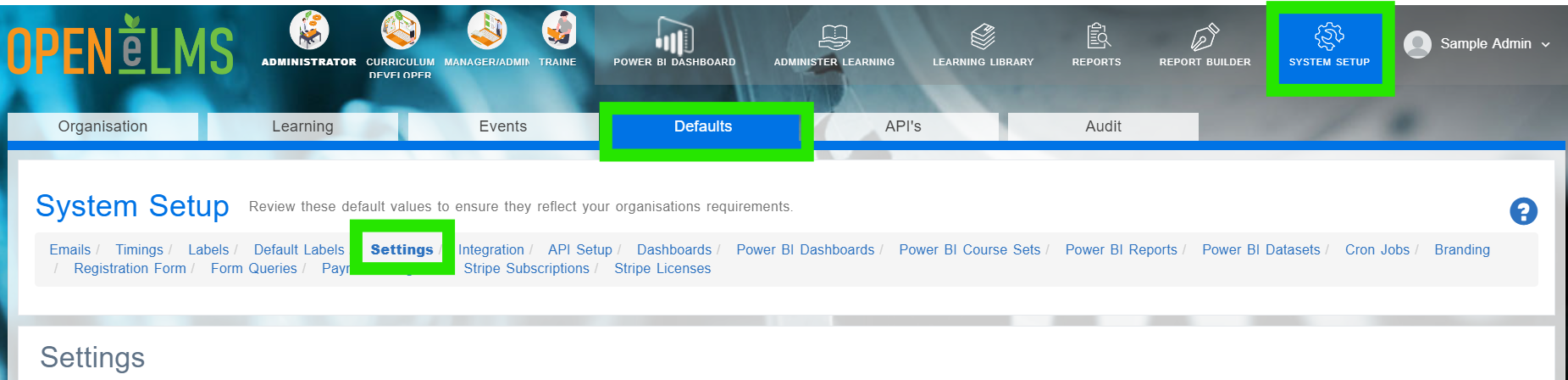
Login as an Administrator and go to System Setup/Defaults/Settings.
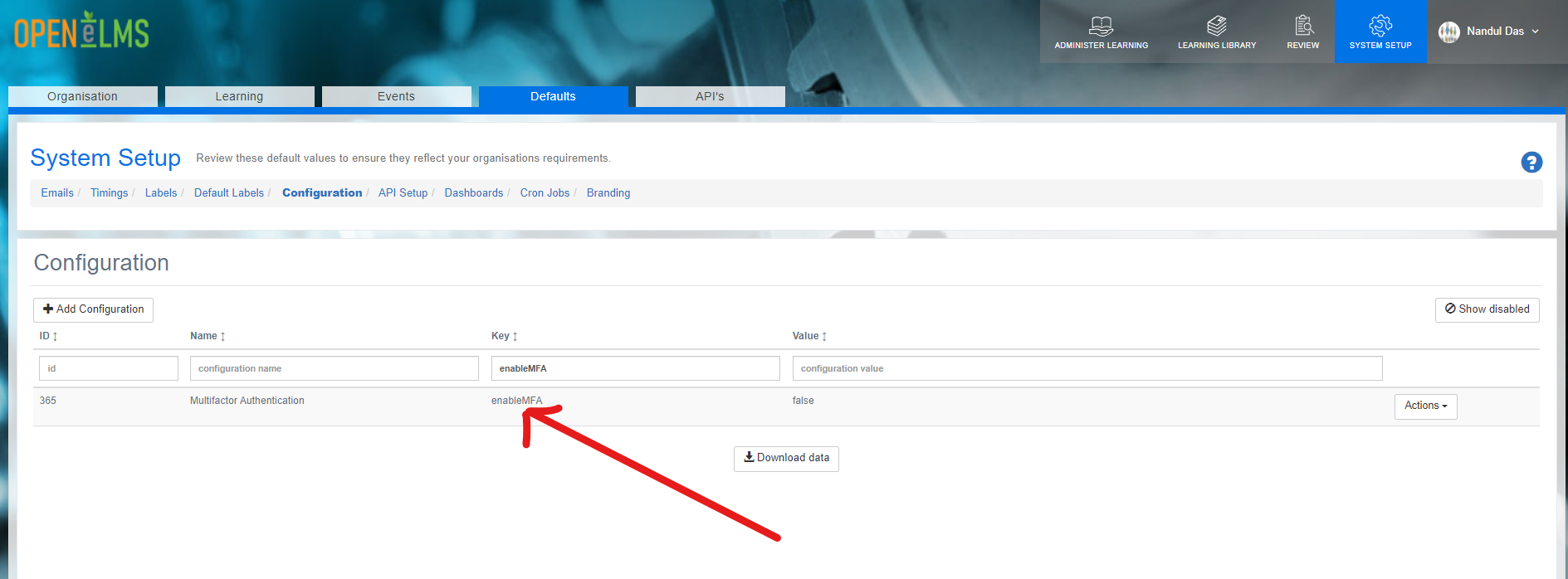
Search for the key ‘enableMFA’ (if you cannot find this then contact support ). Set this value to ‘true’.
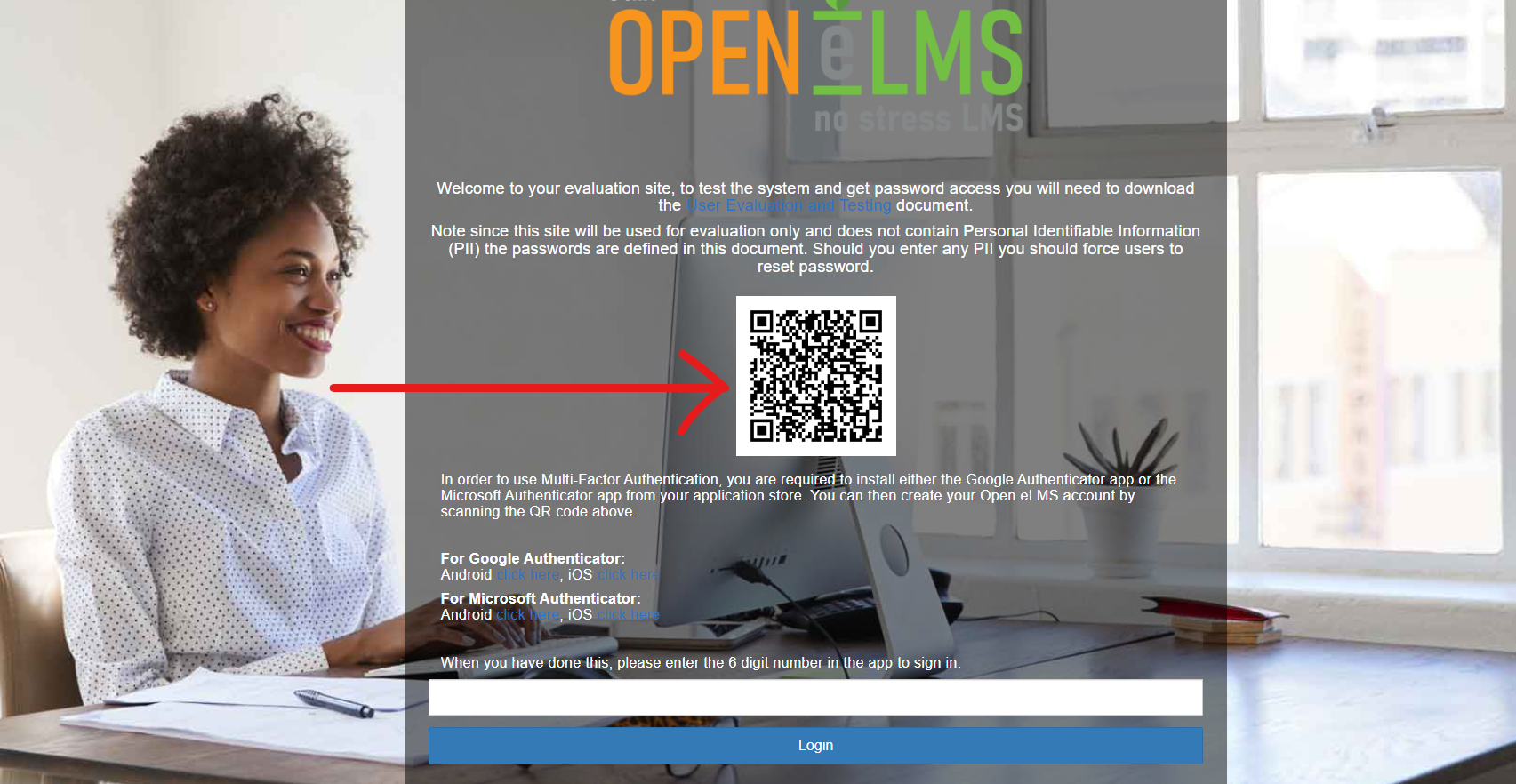
Log out and then log into the system. After the initial authentication you will be prompted to download the Microsoft or Google Authenticator App (if not already done so) and scan the QR code in the app.
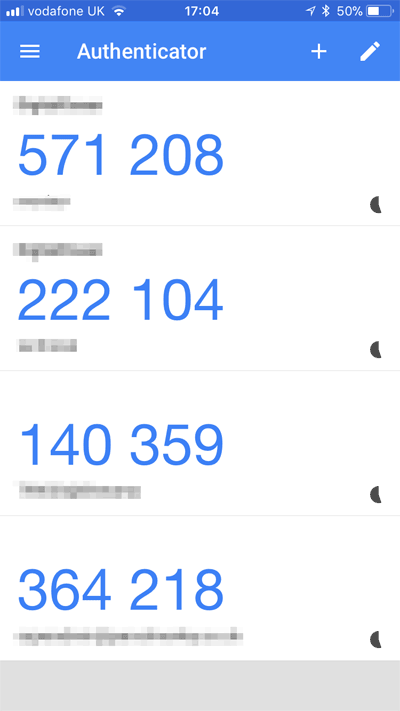
This will set up an authentication number generator in the app which you can use to log into the system.
Before switching multi factor authentication on, ensure you have your phone at hand to gain access again.
📋 Related articles
- Page:
- Page:
- Page:
- Page:
- Page: