Make Events Visible
If you cannot see events in the manager or curriculum developer roles then you need to update the configuration settings.
📘 Instructions
Follow these steps
Changing Configuration Settings
Follow the steps below to change any settings
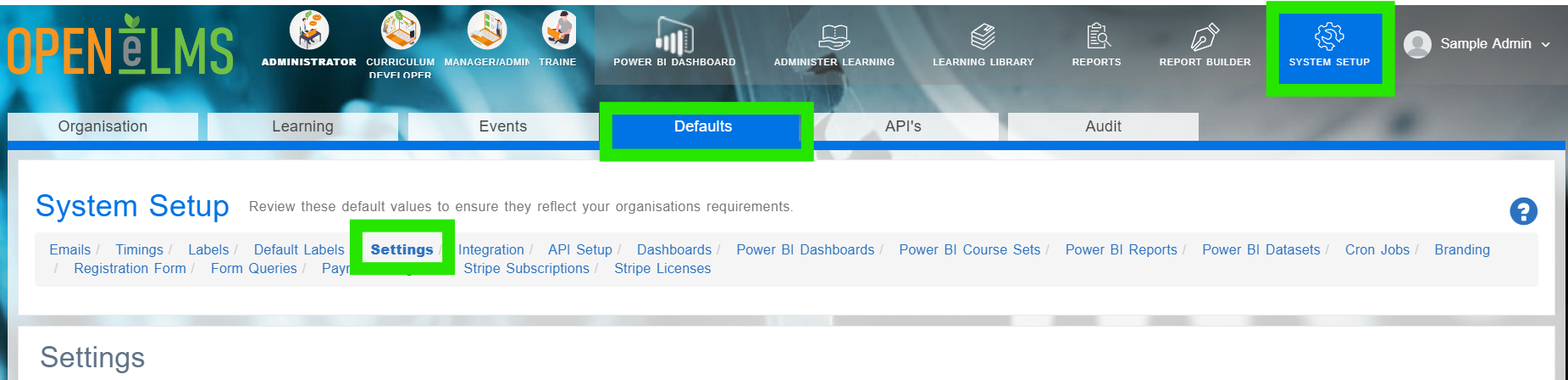
Login as an Administrator and go to System Setup/Defaults/Settings.
Search in the Name column for the enableSchedule key listed in the above table.
Click on Edit.
Scroll down and find the correct key in the settings category.
Edit the Configuration value enableSchedule to true
This will ensure that Curriculum Developers and Managers can now see the events calendar to arrange webinars, classroom events and meetings.
Search the configuration settings for ‘event’ to see other customisations you can make to the way events are delivered.
📋 Related articles
- Page:
- Page:
- Page:
- Page:
- Page: