Link Open eLMS with Moodle
Linking Open eLMS with Moodle allows you to directly open and track Moodle courses within Open eLMS. This allows you to reuse libraries of existing content already hosted on your Moodle system.
📘 Instructions
Setting up Open eLMS to link to MS Azure
To link the systems together, it is necessary to first create a SAML link between Open eLMS and Moodle. This can be done directly or via a third party authentication services such as OpenAthens.
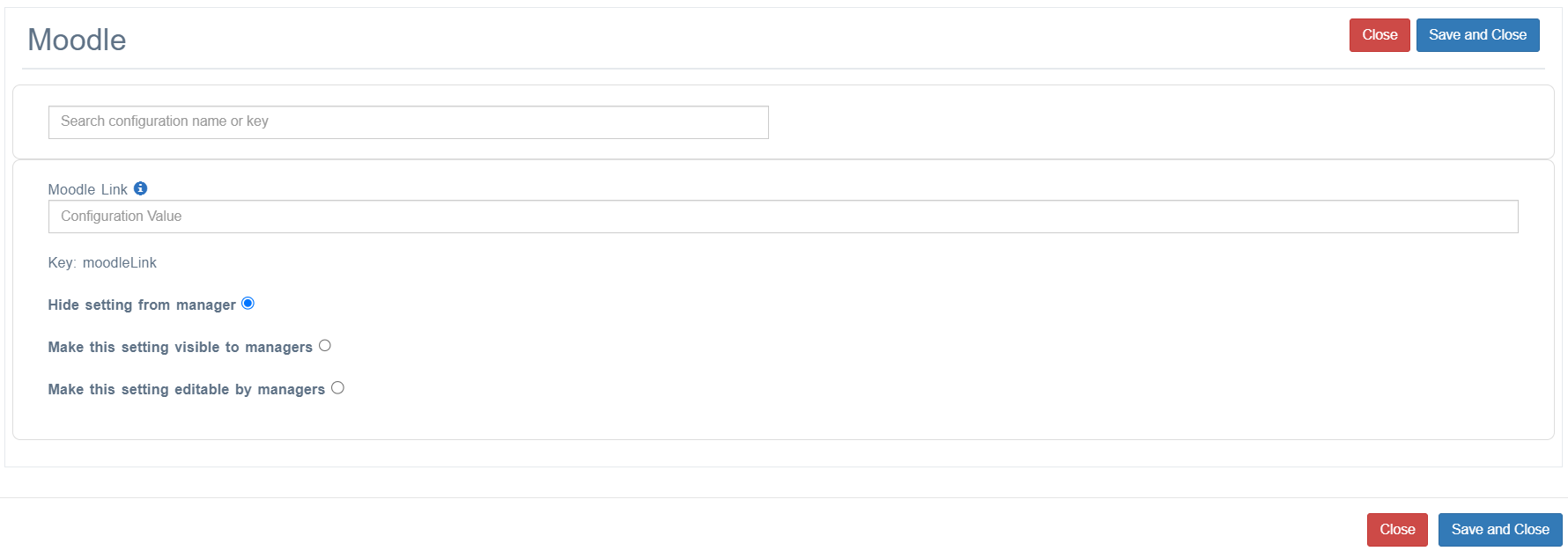
Entering Moodle URL
Log into Open eLMS as an administrator and go to System Setup > Defaults > Integration
Enter the values for the Moodle Link (this is the root folder of your installation).
Create Moodle Resources in the Library
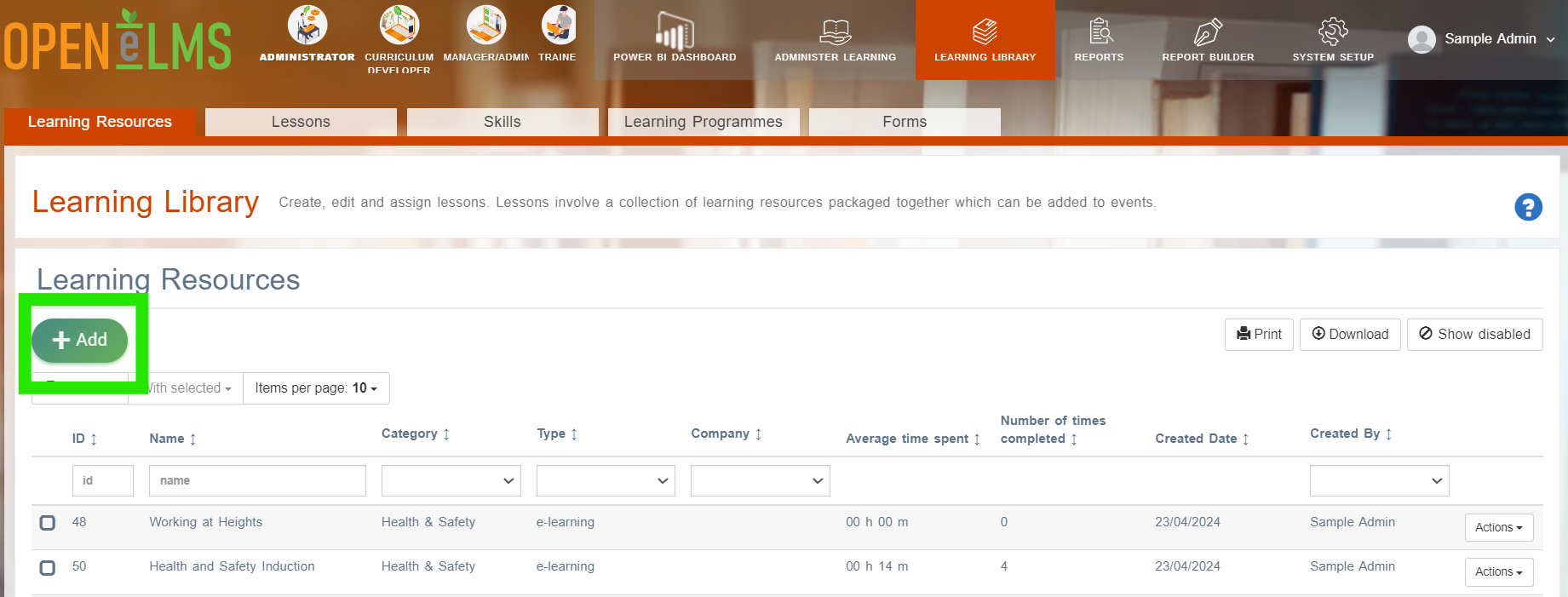
Moodle resources can be created in the learning library for future use.
To do this select Add.
And enter the ID of the Moodle Course.
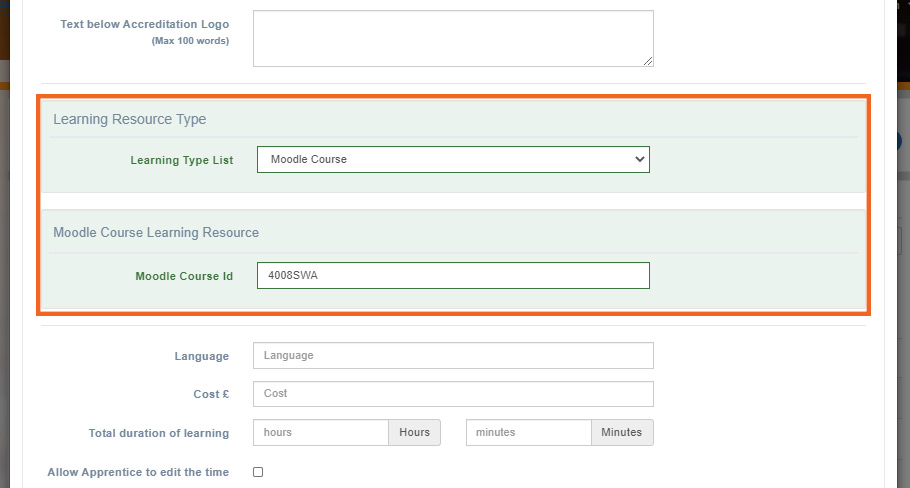
You are now ready to assign, track and run your Moodle course directly from within Open eLMS.
Third party authentication services: Contact support@openelms.com to get this set up on your installation.
📋 Related articles
- Page:
- Page:
- Page:
- Page:
- Page: