Link Olark with Open eLMS
Olark is a cloud-based live chat solution that enables businesses to interact with customers through their website. Linking Open eLMS with Olark gives users of Open eLMS instant contact with your first line of support.
📘 Instructions
To link the systems together, it is necessary for the system administrator to enter the Olark Code into Open eLMS.
Getting the Olark Code
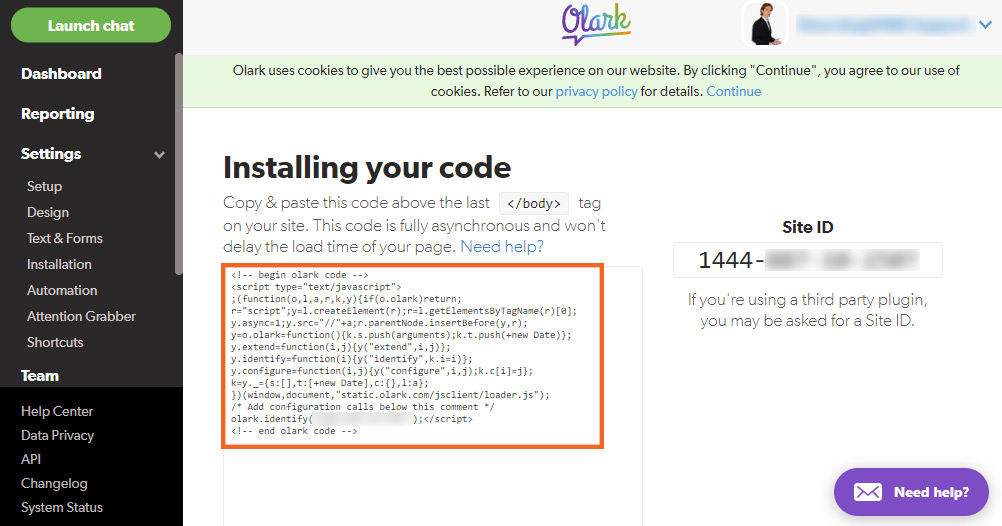
Log in and copy the Olark Code as shown below.
Entering Olark Code and Activating Service in Open eLMS
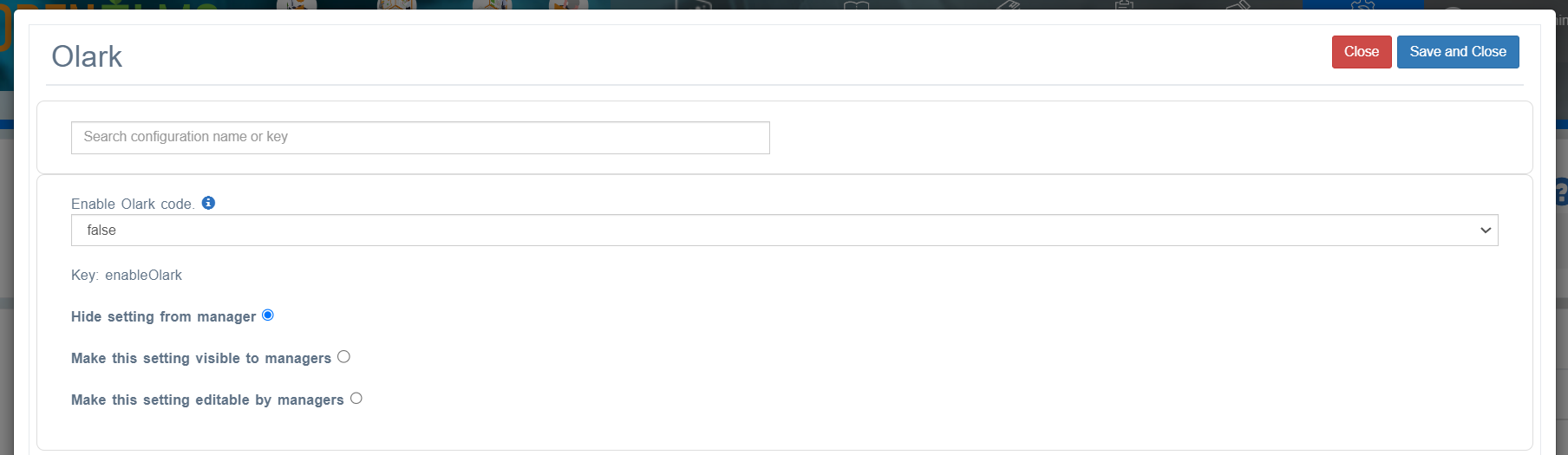
Log into Open eLMS as an administrator and go to System Setup > Defaults > Integration and enter the code into Script from Olark and turn Enable Olark code to “true”.
Using Olark
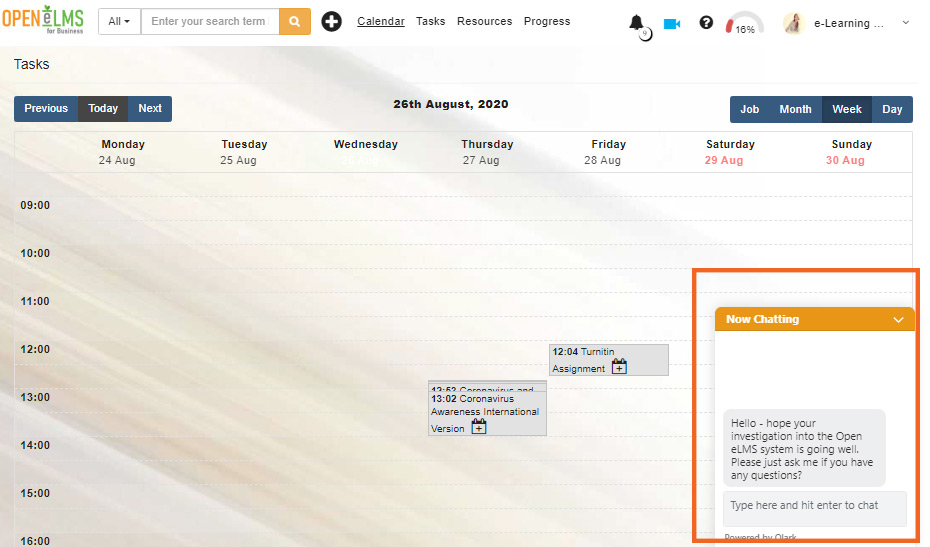
You don’t need to do anything else, Olark will automatically appear in the bottom corner of your Open eLMS installation after 10 minutes.
Highlight important information in a panel like this one. To edit this panel's color or style, select one of the options in the menu.
📋 Related articles
- Page:
- Page:
- Page:
- Page:
- Page: