How to Add Link to Learning Aim Reference Service (when using ILR)
This will provide a direct link to the Learning Aim Reference Service ZIP file within each learner's Individual Learning Record (ILR).
📘 Instructions
Name | Key | Default Value | Description |
Learning Aim Reference Service URL | learnerAimReferenceURL | TRUE | Direct link to Learning Aim Reference Service ZIP file within each learner's ILR. |
When editing a user on the system - click on Edit ILR Fields - Learning Deliveries - Add an Apprenticeship Record

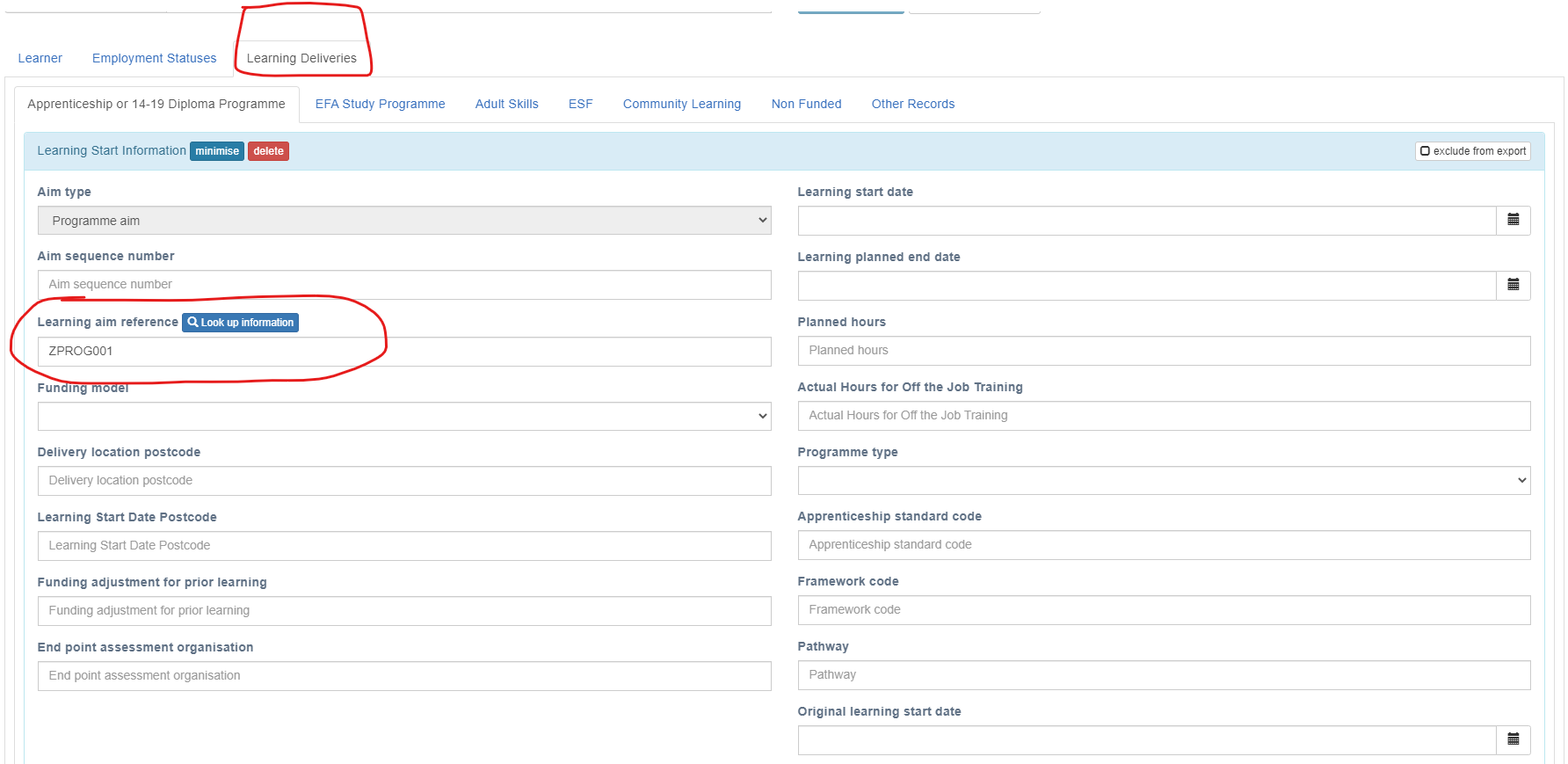
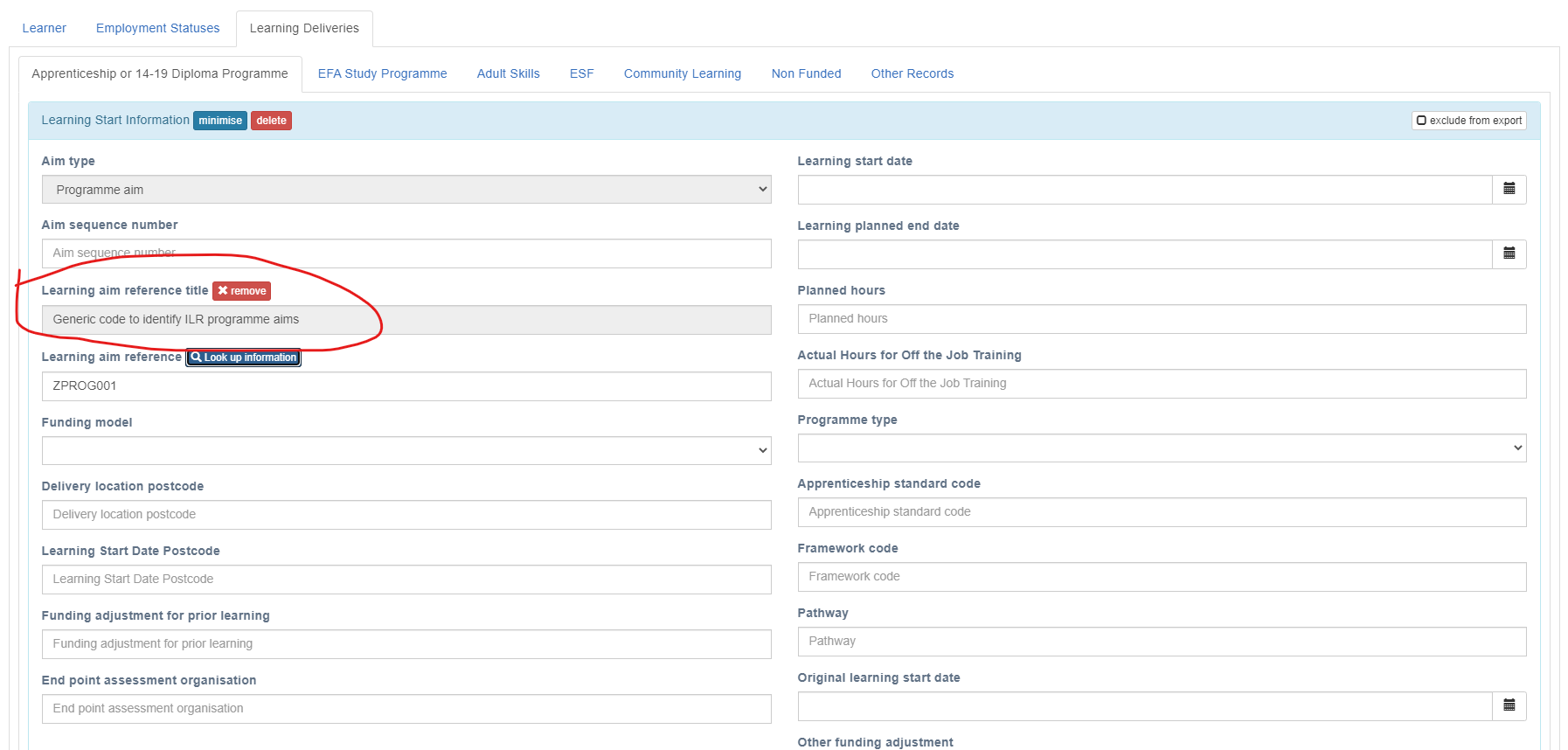
You then have the option to Look up information for the programme title of the learning aim.
Changing Configuration Settings
Follow the steps below to change any settings
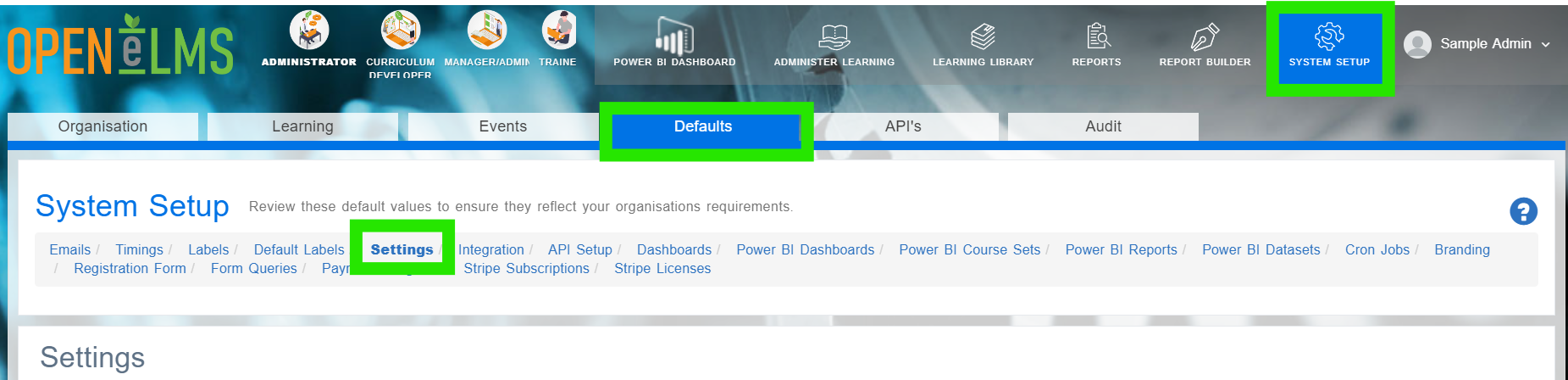
Login as an Administrator and go to System Setup/Defaults/Settings.
Search in the Name column for the key listed in the above table.
Click on Edit.
Scroll down and find the correct key in the settings category.
Change Configuration Value to new url if required.
📋 Related articles
Select any of the following associated articles for further information.
- Page:
- Page:
- Page:
- Page:
- Page: