Grant Access to Outlook Calendar
If setting up Outlook integration, you may want the system to check an external calendar for clashes to ensure no double-booking of venues are made.
📘 Instructions
Follow these steps to allow Open eLMS to get the right permissions to check the Outlook calendar API for venue availability.
First sign in to the Microsoft Azure Portal, select the app, and add the following additional permissions.
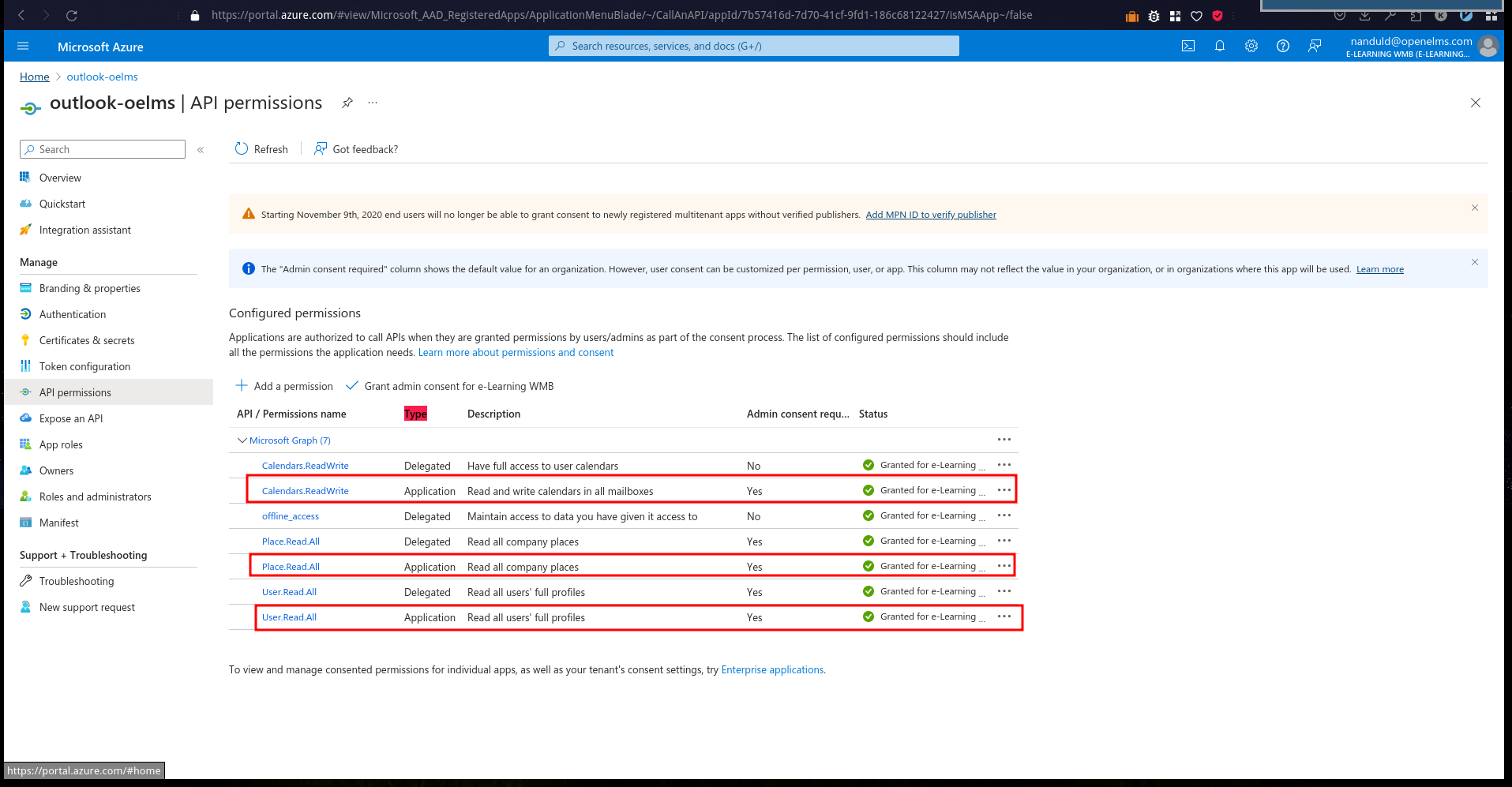
Then sign in to the Microsoft Entra admin centre as at least a Cloud Application Administrator.
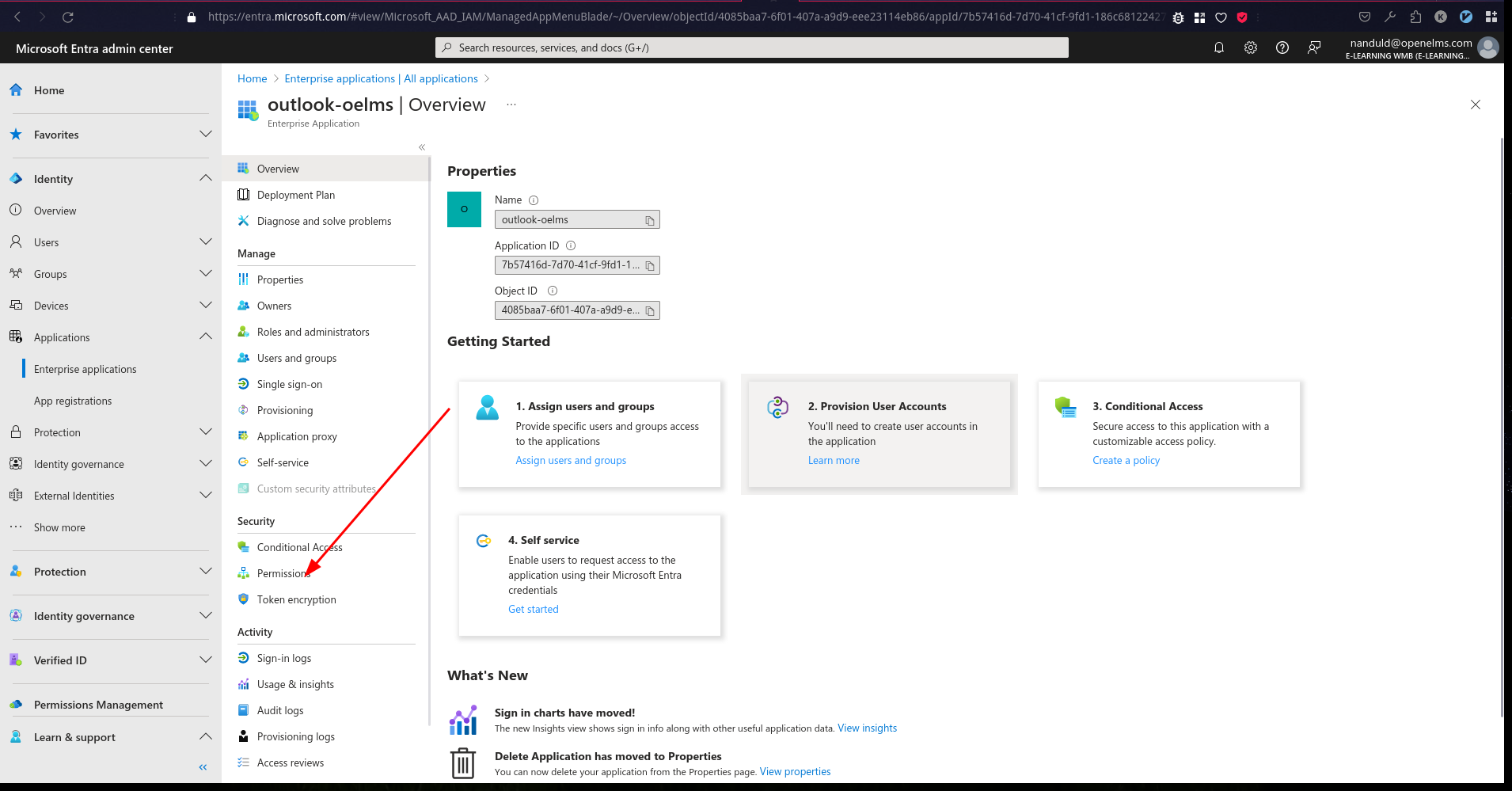
Browse to Identity > Applications > Enterprise applications > All applications.
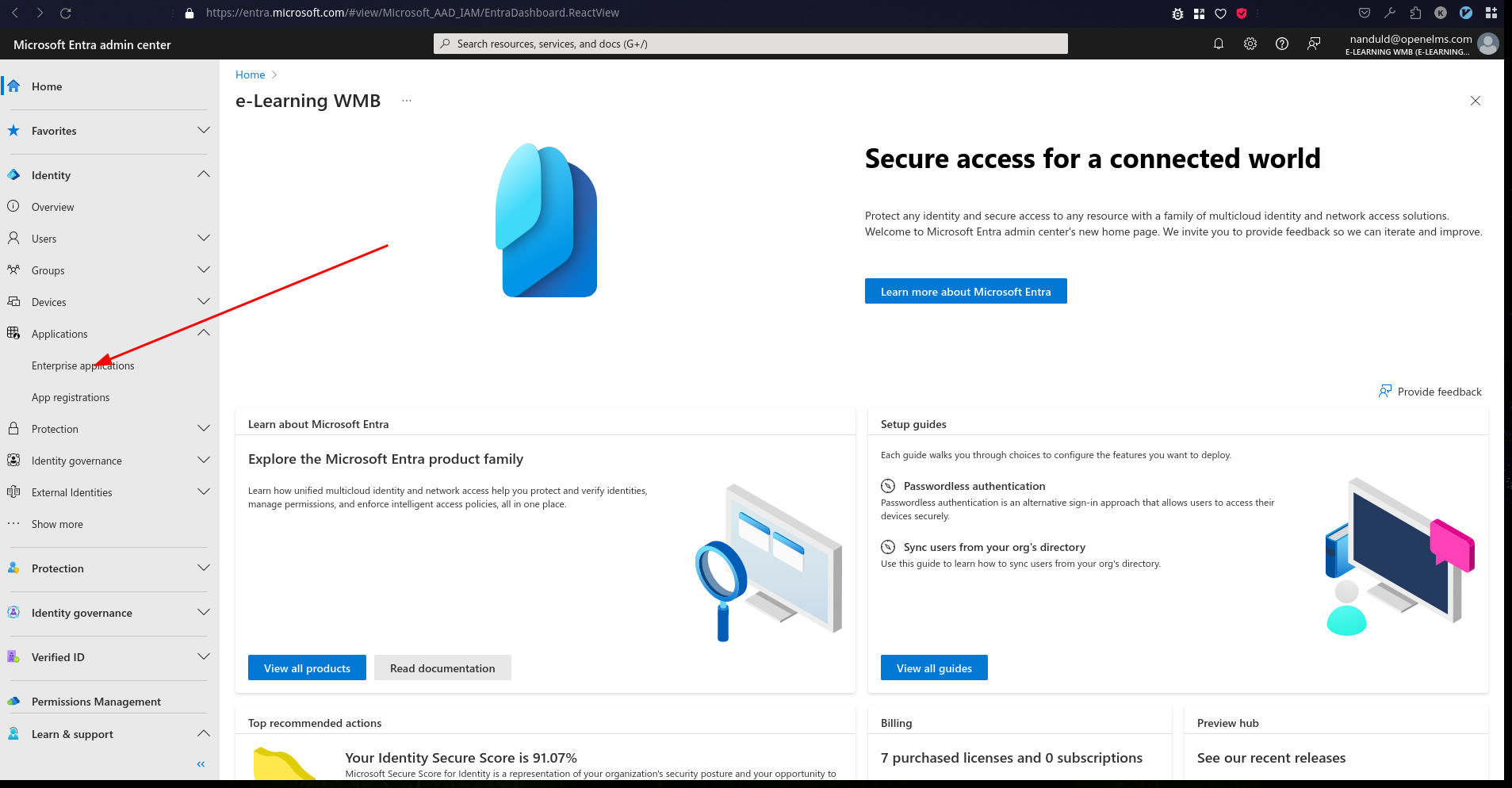
Enter the name of the existing Open eLMS application in the search box …
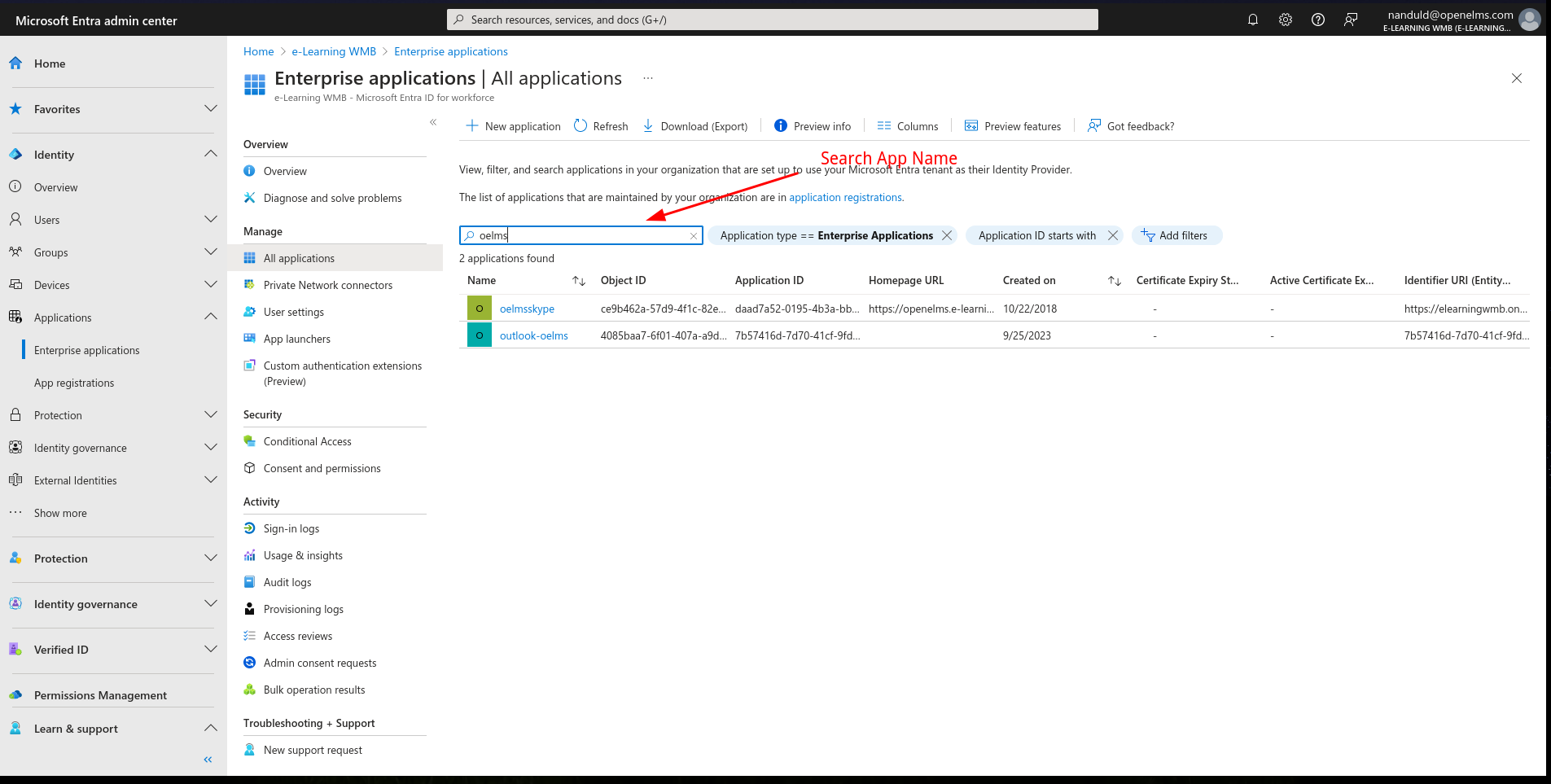
… and then select the application from the search results.
Access Permissions under Security …
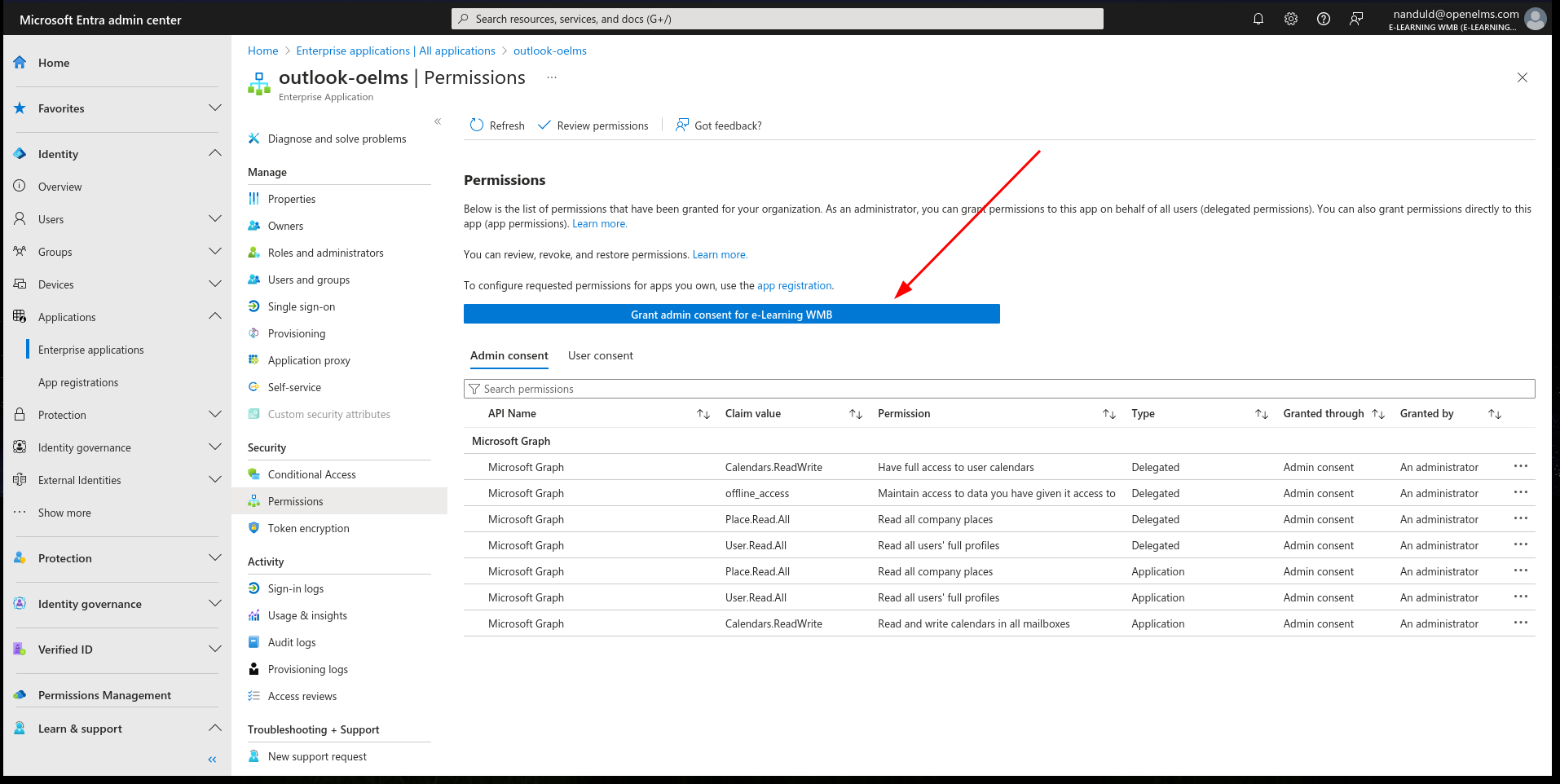
Then select Grant admin Consent for the Open eLMS app.
Check to see that venue clashes can no longer be made as Open eLMS checks the venue calendar in Outlook before saving an event.
The configuration setting: ‘useOutlookVenues’ needs to be set to ‘true’ for this to take effect.
📋 Related articles
- Page:
- Page:
- Page:
- Page:
- Page: