Email Testing
When setting up a system you may want to test the emails going out from the system but without the hassle of emails actually landing in recipients' inboxes. The email testing functionality allows you to avoid this pitfall when testing.
📘 Instructions
Follow these steps
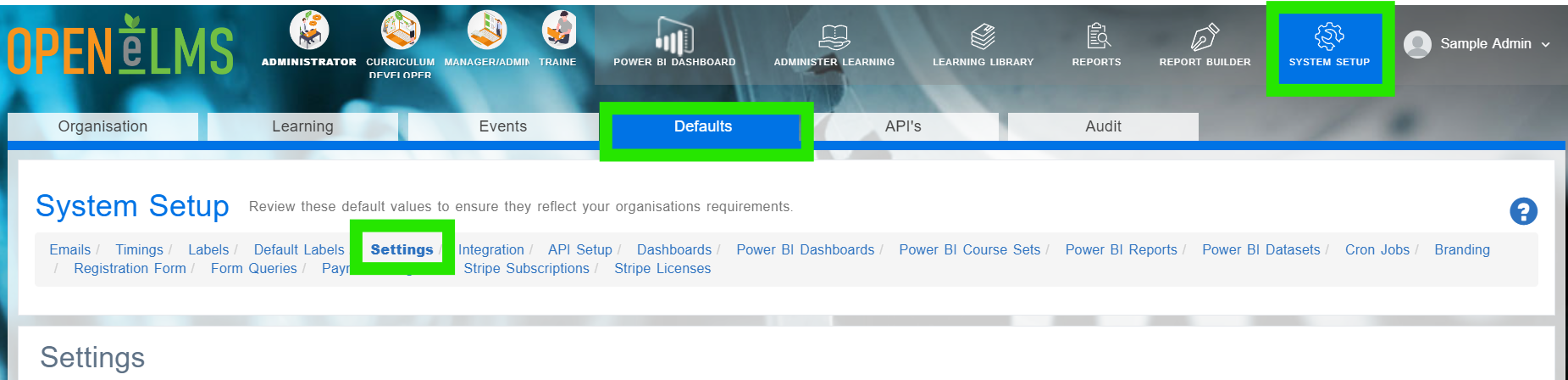
Login as an Administrator and go to System Setup/Defaults/Settings.
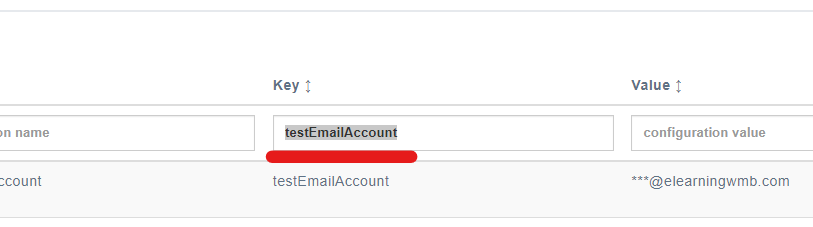
Filter the Key column for testEmailAccount.
Add the test email to this text box - leave it blank when you are ready to launch the system.
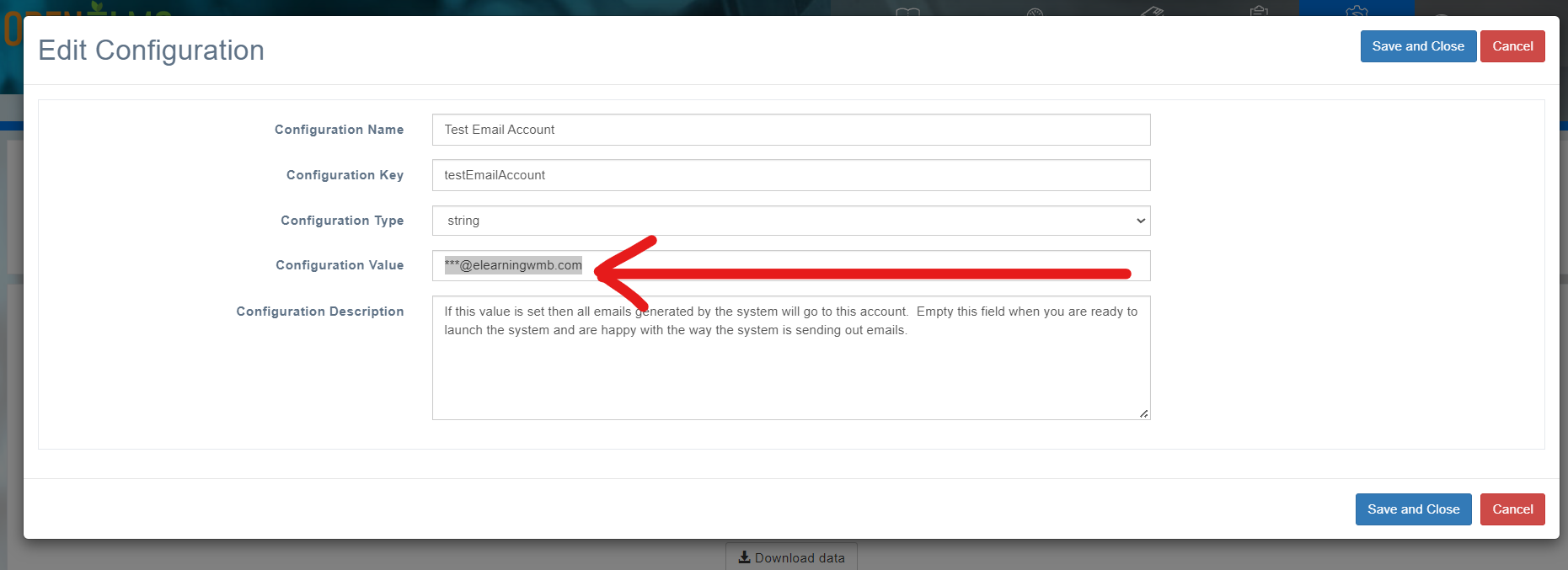
Note all emails will go to the test account. It might be best to set up a new group email to monitor this testing.
📋 Related articles
- Page:
- Page:
- Page:
- Page:
- Page: