Disable lazy loading functionality
Edit the configuration key below to change functionality within the system, there are over 200 such settings in the system.
📘 Instructions
Name | Key | Default Value | Description |
Disable lazy loading functionality | disableLazyLoading | FALSE | Lazy loading will load in thumbnail images when they are displayed. Setting this value to true will increase the time it takes for the learner interface to load in, but images will be available instantly when scrolling around the learner's interface. Set this value to false if learners complain that the system takes too long to initially load. We would recommend setting this value to false if possible. |
Changing Configuration Settings
Follow the steps below to change any settings
Login as an Administrator and go to System Setup/Defaults/Settings.
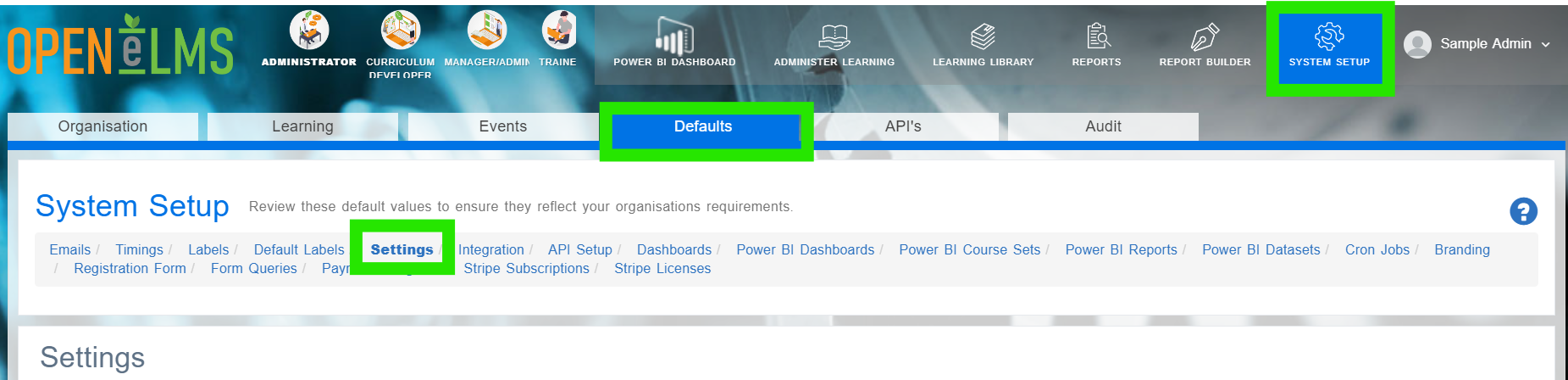
Search in the Name column for the key listed in the above table.
Click on Edit.
Scroll down and find the correct key in the settings category.
Edit the Configuration value to ‘TRUE’.
This will load thumbnail images instantly. We would recommend setting this value to False if possible.
📋 Related articles
Select any of the following associated articles for further information.
- Page:
- Page:
- Page:
- Page:
- Page: