Configure Open eLMS to use H5P
H5P makes it easy to create, share and reuse microlearning elements such as interactive videos, 360 degree images, interactive stories, quizzes etc. H5P empowers everyone to create rich and interactive web experiences more efficiently.
📘 Instructions
Set up an account in H5P
To link the systems together, it is necessary to set up an account within H5P at https://www.h5p.com. Create a master account.
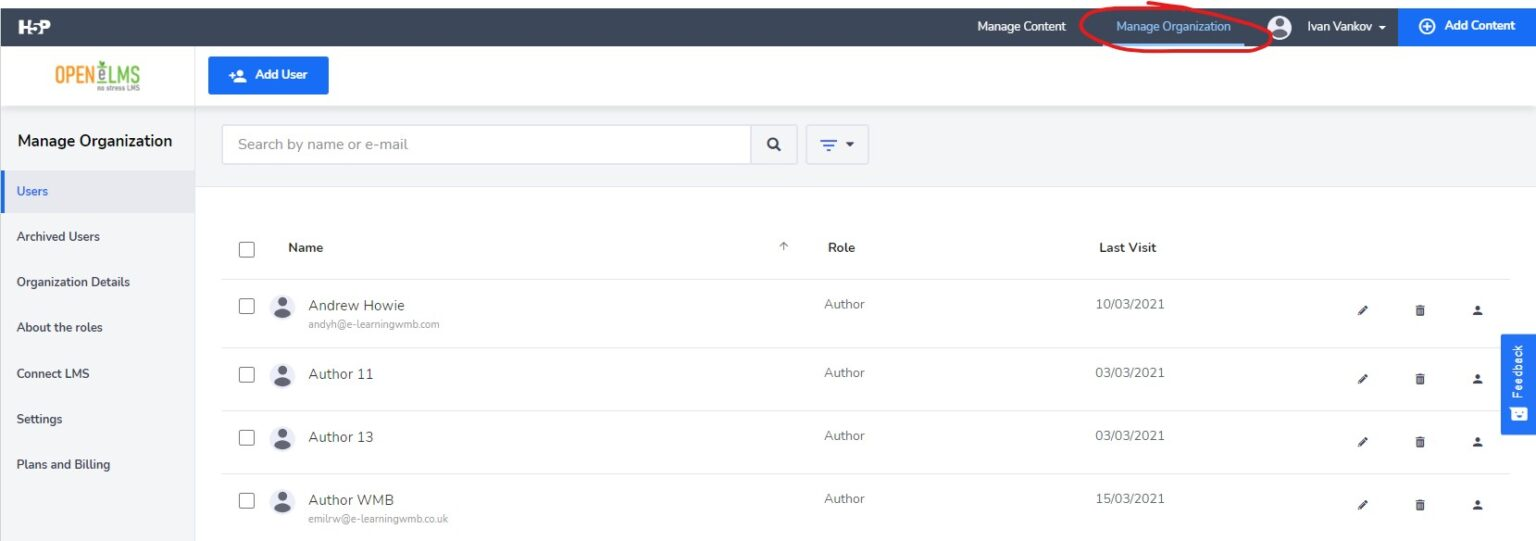
Go to Manage Organisation.
Go to “Connect LMS”
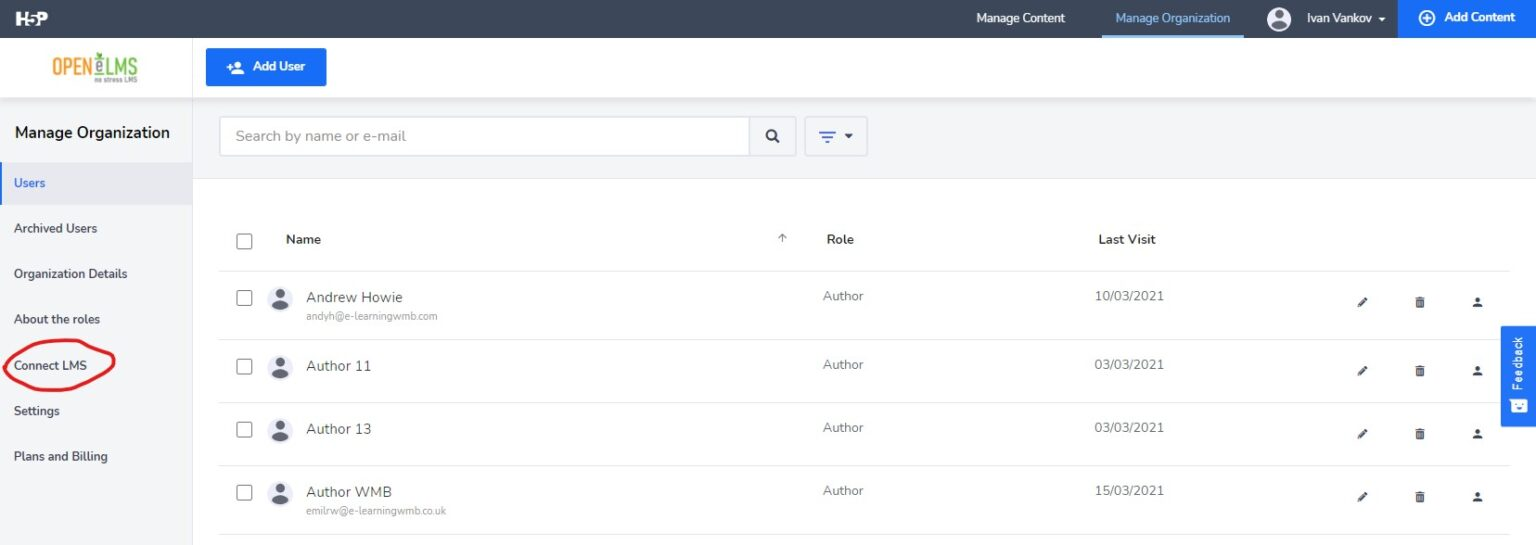
Use the following URL endpoint: https://yourdomain.h5p.com/lti, then copy the key and secret from the connection details in the list below.
Configure Open eLMS to use H5P
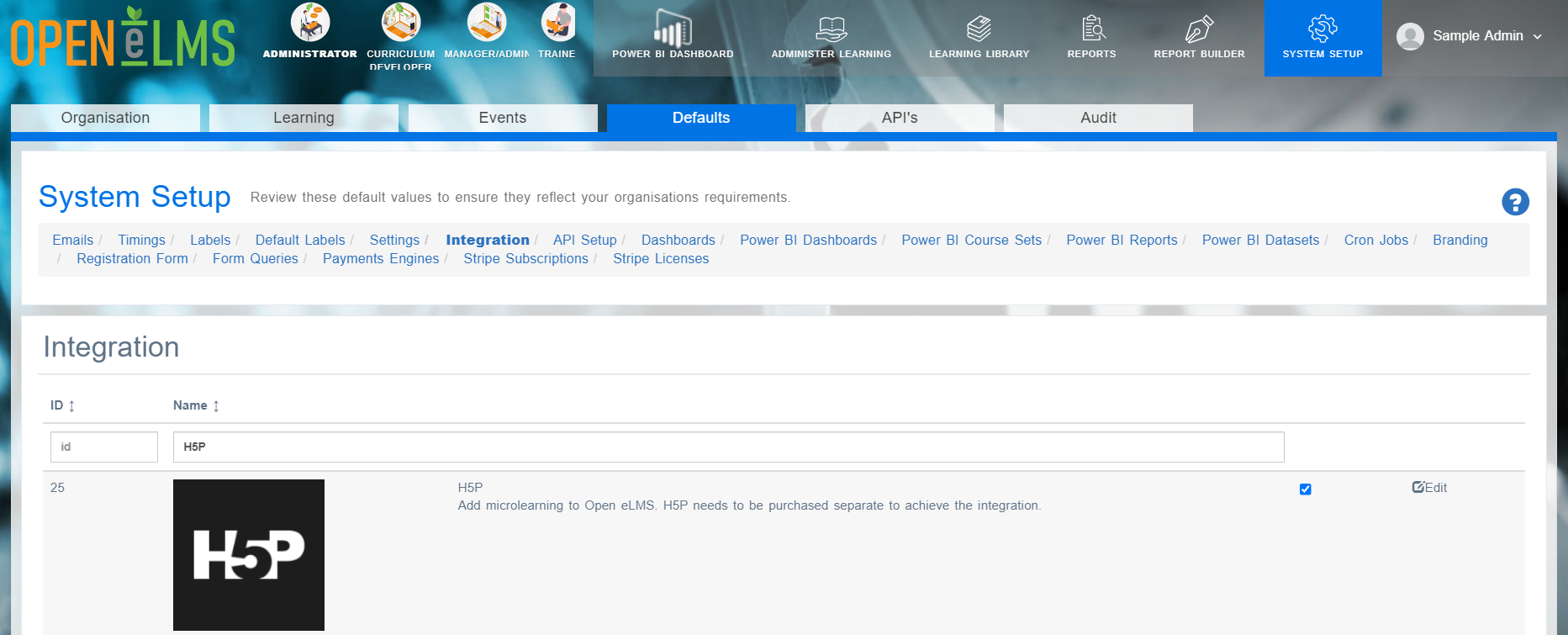
Log into Open eLMS as an administrator and go to System Setup > Defaults > Integration
Enter the key (copied from H5P) into the H5P_CLIENT_ID
Enter the Secret (copied from H5P) into the H5P_CLIENT_SECRET
Enter the URL endpoint for LTI (displayed in the LTI 1.1 instructions from H5P) into the H5P_LTI_URL
Highlight important information in a panel like this one. To edit this panel's color or style, select one of the options in the menu.
📋 Related articles
- Page:
- Page:
- Page:
- Page:
- Page: