Change the help video used by learners
This help video can be switched with one of your own. Useful if you want to add your own advice and rebrand this video.
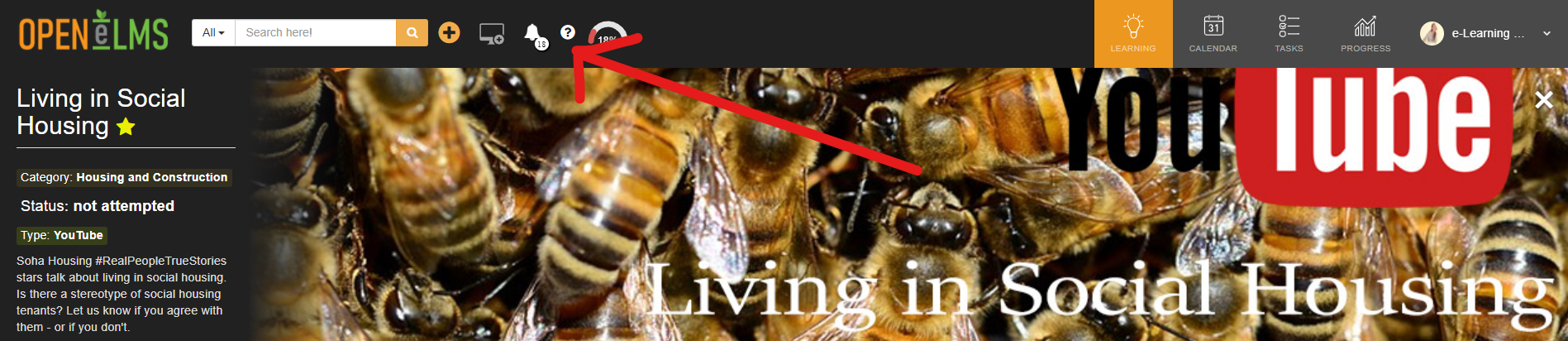
📘 Instructions
Follow these steps to change the video.
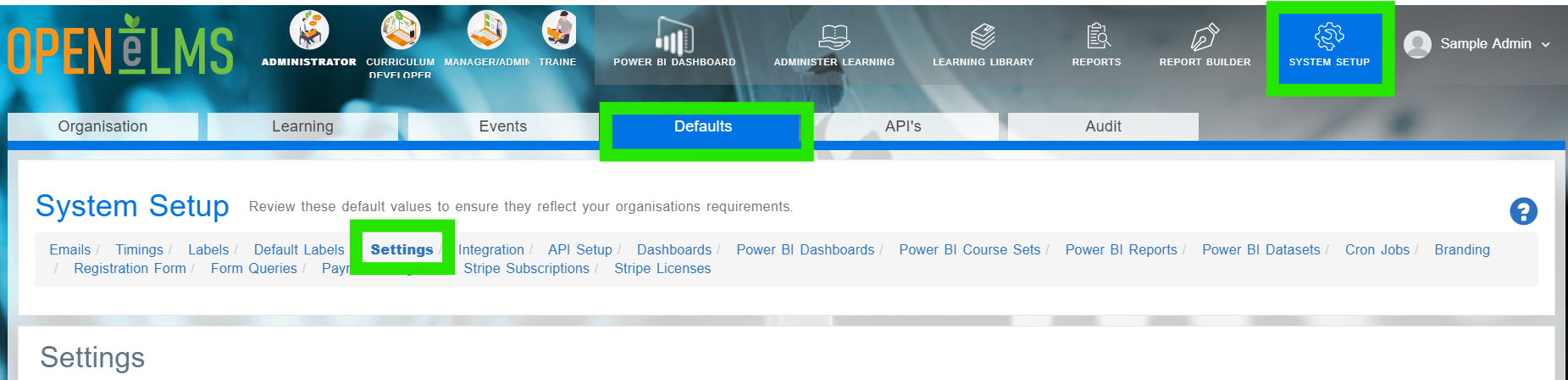
Login as an Administrator and go to System Setup/Defaults/Settings.
Find the key HelpVideoURL.
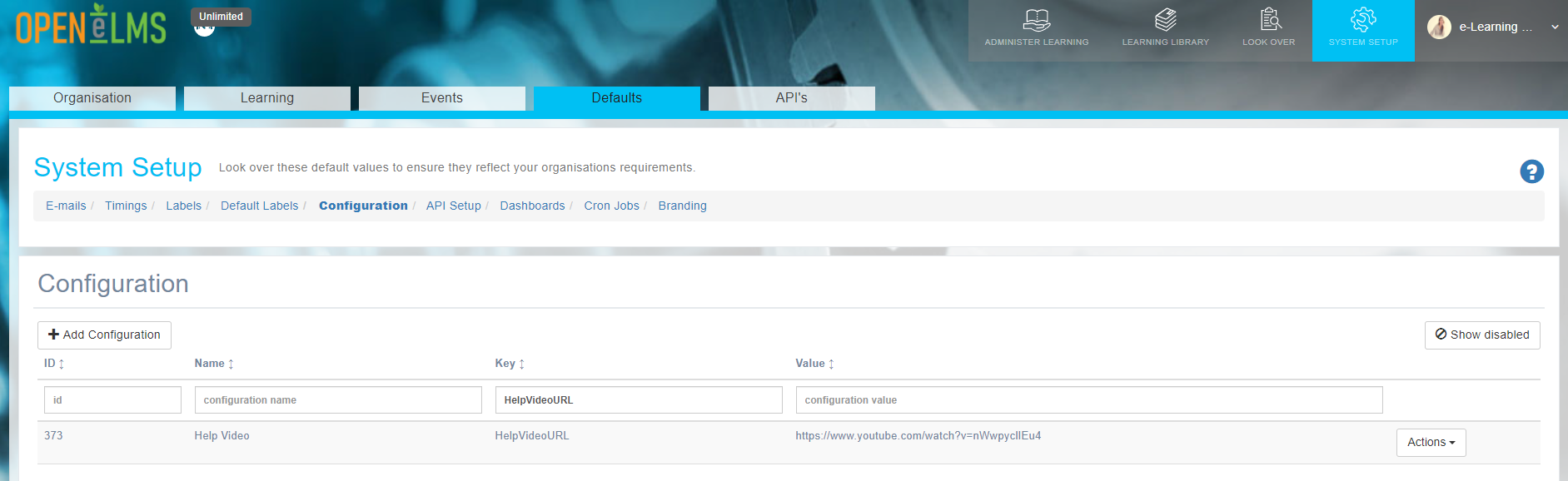
Edit and change this value to your help video URL (e.g. YouTube or Vimeo).
A URL must be used that is accessible to all users (i.e. not an intranet link if the system is to be used by external parties.)
📋 Related articles
- Page:
- Page:
- Page:
- Page:
- Page: