Adding the Civica Payments Engine
Civica is a payments engine popular with local and national government in the UK. Open eLMS has an off-the-shelf integration with this method of payment.
📘 Instructions
Make sure you have Civica installed and set up and then follow these steps.
Log in as Admin and go to System Setup > Defaults > Integration.
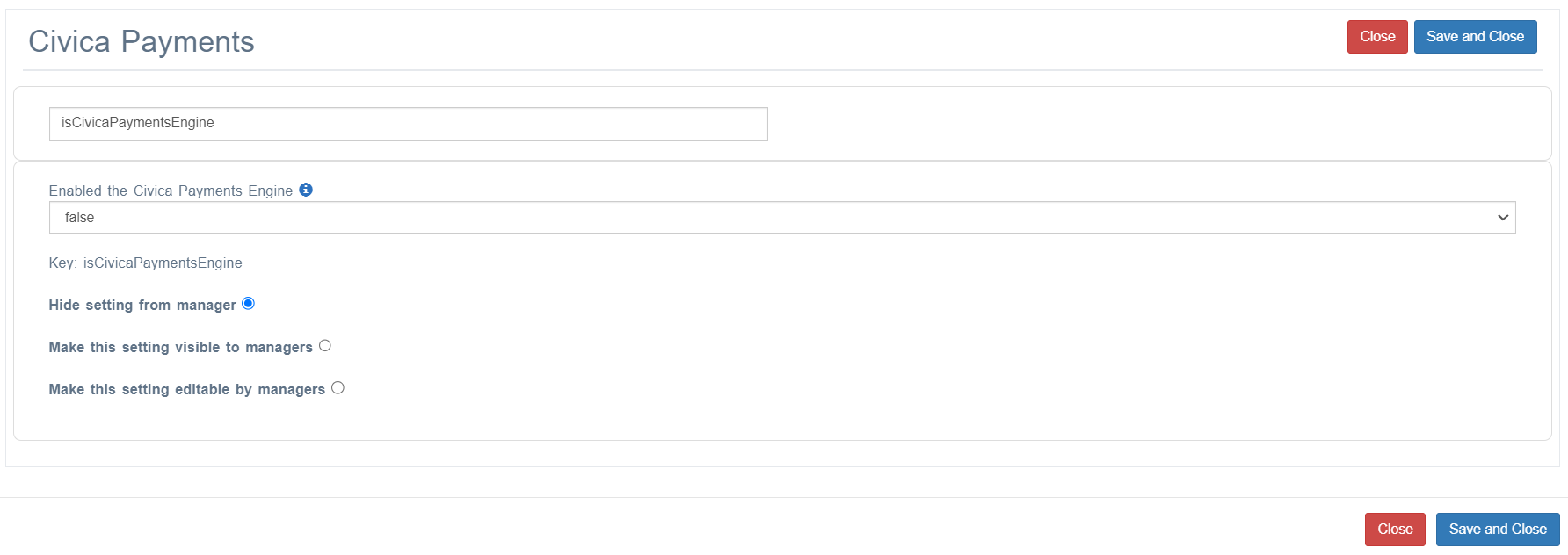
Search in the Key column for isCivicaPaymentsEngine and set this value to true.
Then search in the Key column for civicaDefaultGeneralLedgerCode and edit the value to match the default General Ledger Code used for learning.
Search in the Key column for civicaPaymentsEngineRequestURL and edit the value to match the default General Ledger Code used for learning. This value takes the following format where you will need to substitute your organisation’s name https://www.civicaepay.co.uk/ORGANISATION_NAMEXMLTest/Paylinkxmlui/Default.aspx; note that the test site has been used in this incident.
Search in the Key column for civicaPaymentsEngineVatCode; use the value of 01 for the standard VAT code.
Finally search in the Key column for civicaDefaultGeneralLedgerCode and edit the value to match the default General Ledger Code used for learning.
Ledger codes can be defined on a case by case basis by editing the Learning Resource Code for each learning resource. if this is defined then this value to used as the General Ledge Code for the learning item.
📋 Related articles
- Page:
- Page:
- Page:
- Page:
- Page: