Add Badges
Badges allow you to use awards won in Open eLMS to be transferred out of the Open eLMS infrastructure and remain with learners on social media channels (Linked In, Facebook etc.) and CVs.
Instructions
To set this up for your users follow these steps:
Register here if in EU for example https://eu.badgr.com/auth/signup (you can change the location for different domains). Create a number of badges as an Issuer; these badges should reflect competencies you wish to see in your orangisation (e.g. Leadership, Teamwork, Health and Safety etc.) Find out more about how to issue badges on the badgr account (https://support.badgr.com/en/knowledge/creating-an-issuer-in-badgr ).
Email help@badge.io with your account details and request a “Connected App Key and Secret”.
Log in as an administrator and go to System Setup > Defaults > Integration > Key = BadgrApiKey
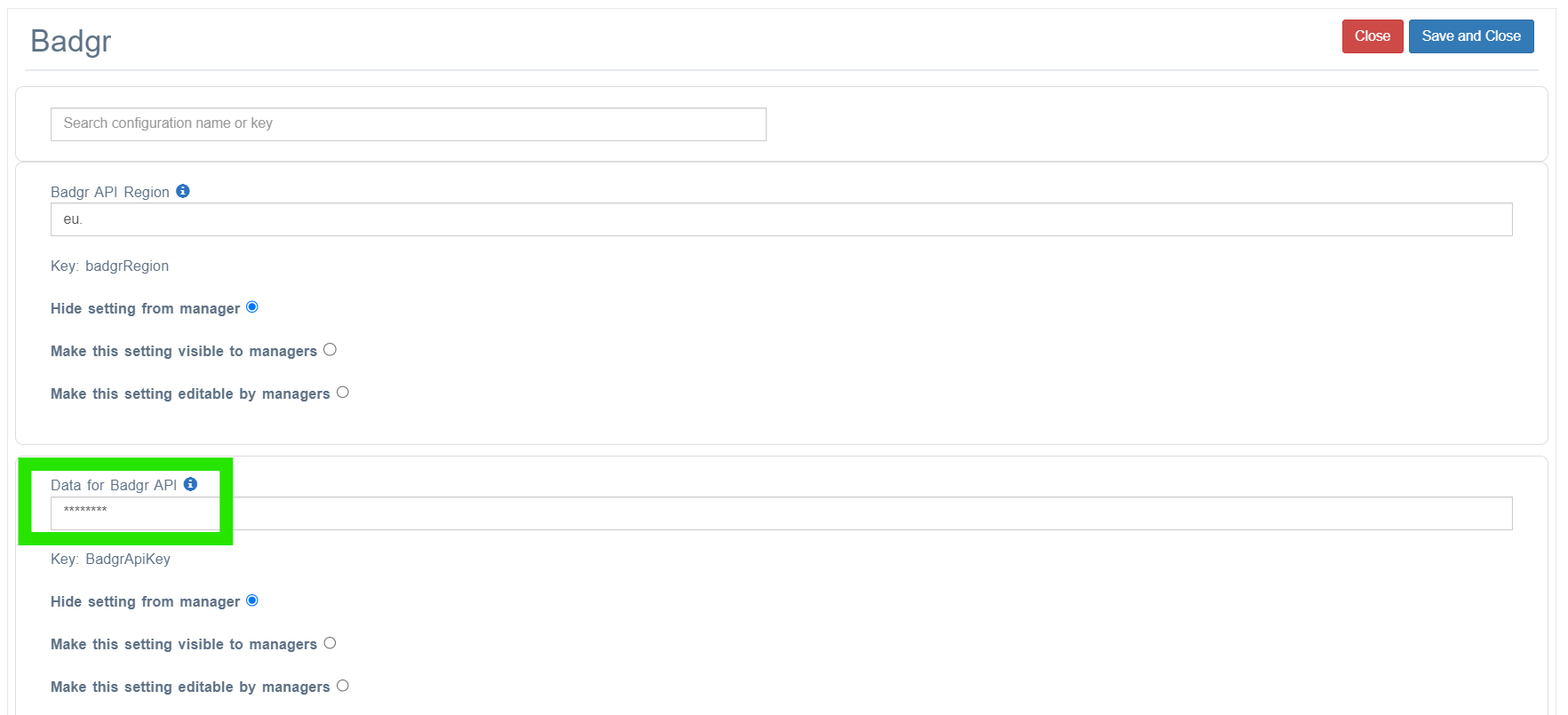
and enter as the configuration values supplied separated by a comma (e.g. loginname@email.com,16240107YH==).Set the Key = badgrRegion to eu. if in Europe (or change if in USA to us. etc.)
Set the Key = badgesEnabled to true.
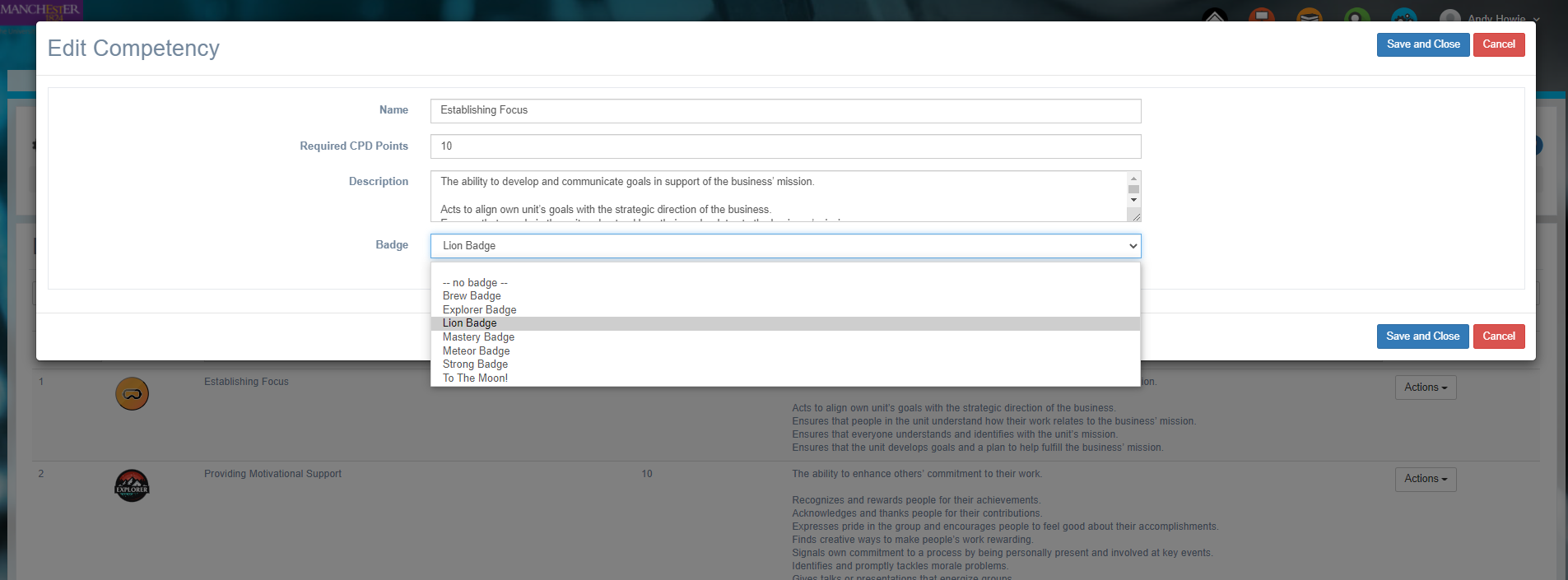
Link badges to competencies, in this way when a competency is awarded, its associated badge also gets awarded. Do this by going to System Settings > Learning > Competencies and linking each competency to its associated badge.
Employees and Managers can now see these badges on their accounts (Progress > Gamification).
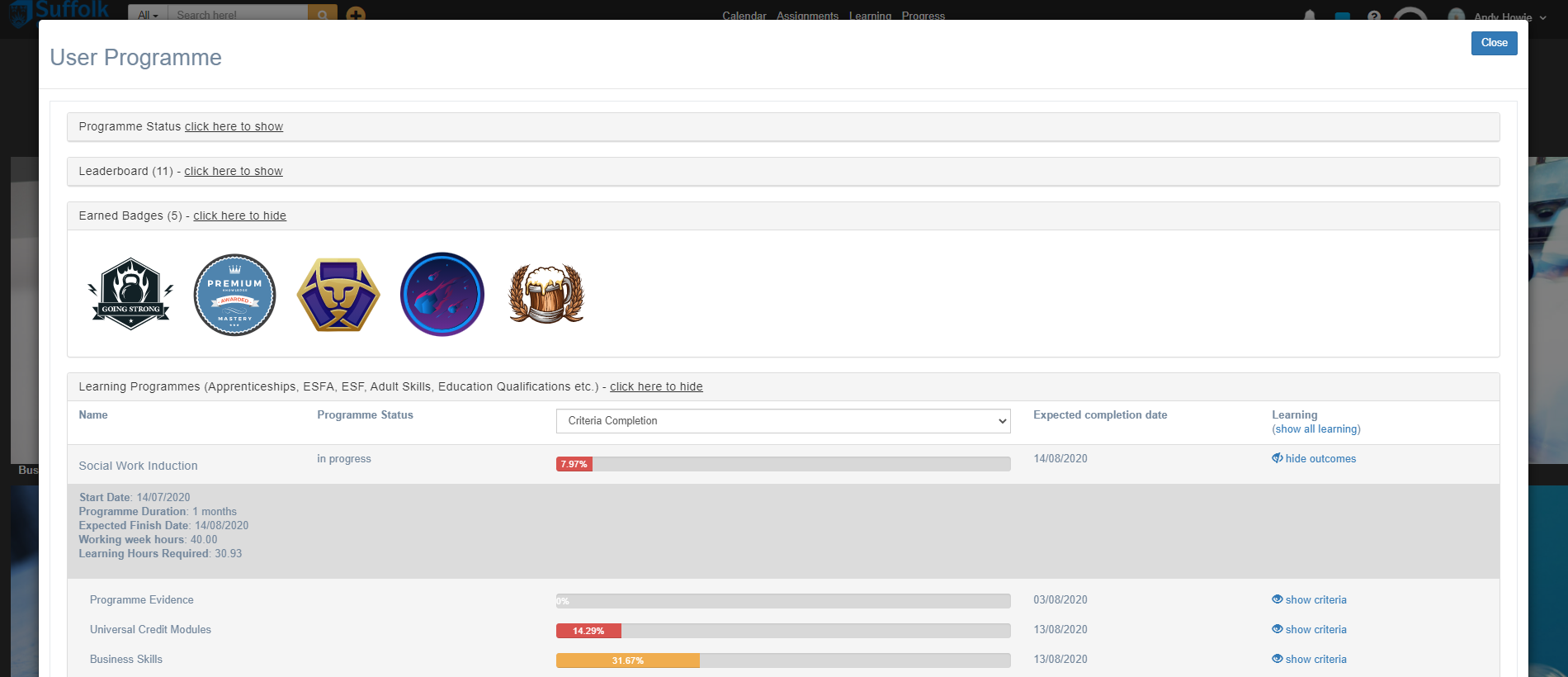
Badgr follows the Open Badges standard and is free to set up and use. Paid for subscriptions allow pathways etc.
Related articles
- Page:
- Page:
- Page:
- Page:
- Page: