Linking the Zoom App to your installation
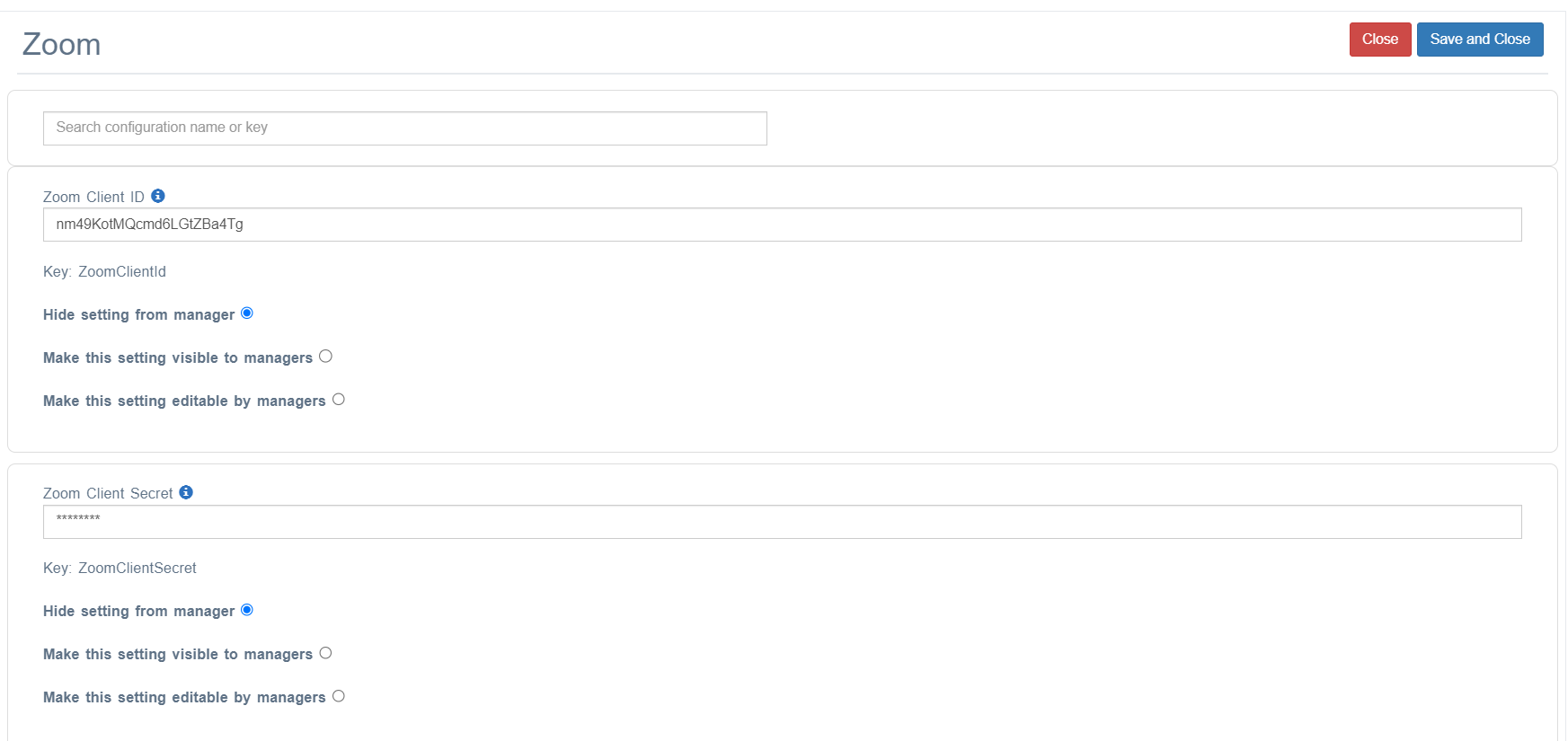
You need to add two config options to enable Zoom integration on a client site. This entire process is usually done for each client in advance of using the system.
📘 Instructions
Follow these steps
Contact support@openelms.com and ask them for the ZoomClientId and ZoomClientSecret. They will obtain this from the App Marketplace (zoom.us) on your behalf.
Go to as admin > System Setup > Defaults > Integration.
Look up these keys and add these credentials
📋 Related articles
- Page:Adding eLearning to Go1
- Page:Add a Lesson to Udemy
- Page:Convert a course from documentation
- Page:Set Up Lessons ibn the Media Library
- Page:Create a animated video advert