Configuration to Edit Welcome Message on Login Page
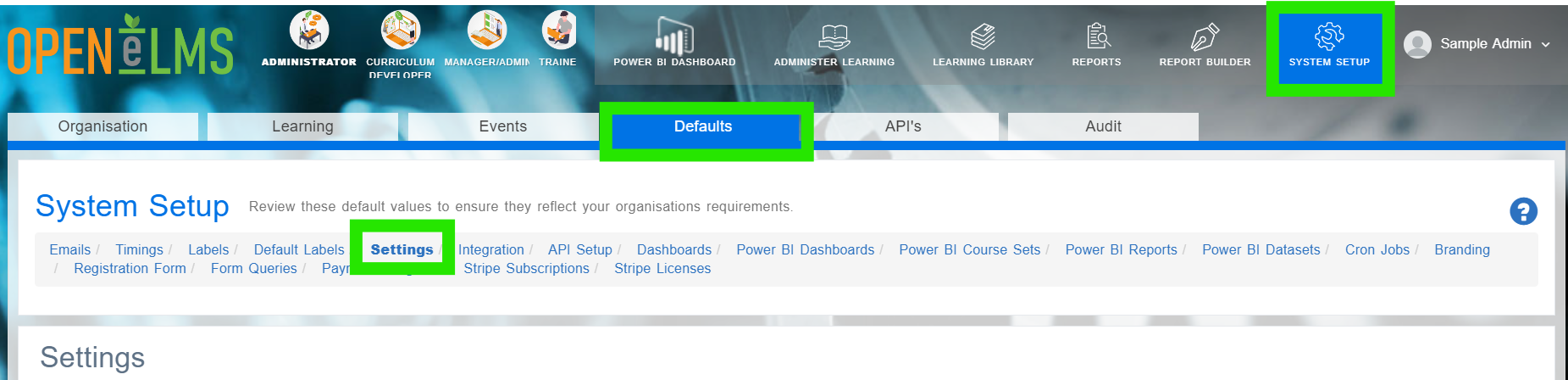
Login as an Administrator and go to System Setup/Defaults/Settings.
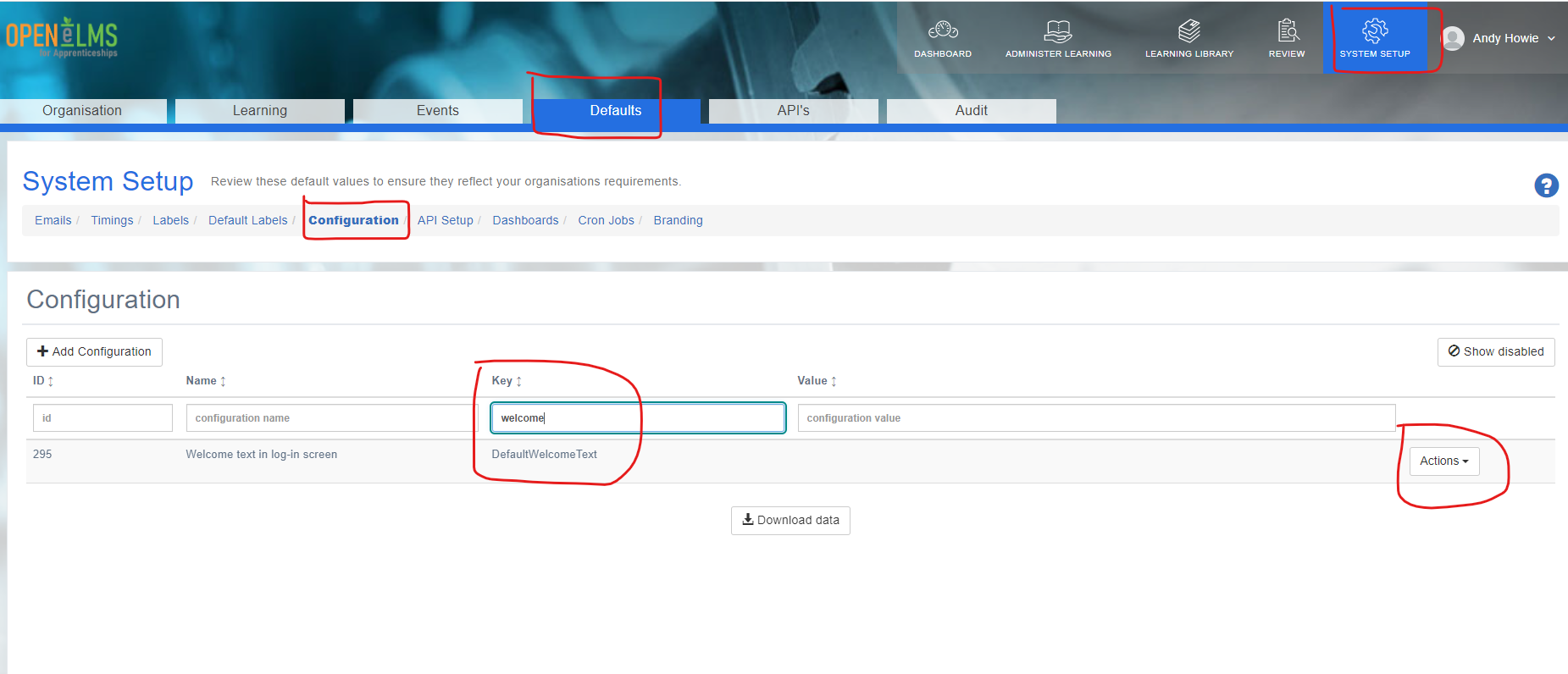
Type ‘welcome’ in the Key box - this should display DefaultWelcomeText
Click on Actions - Edit
Type your text in to the Configuration Value and then Save and Close:
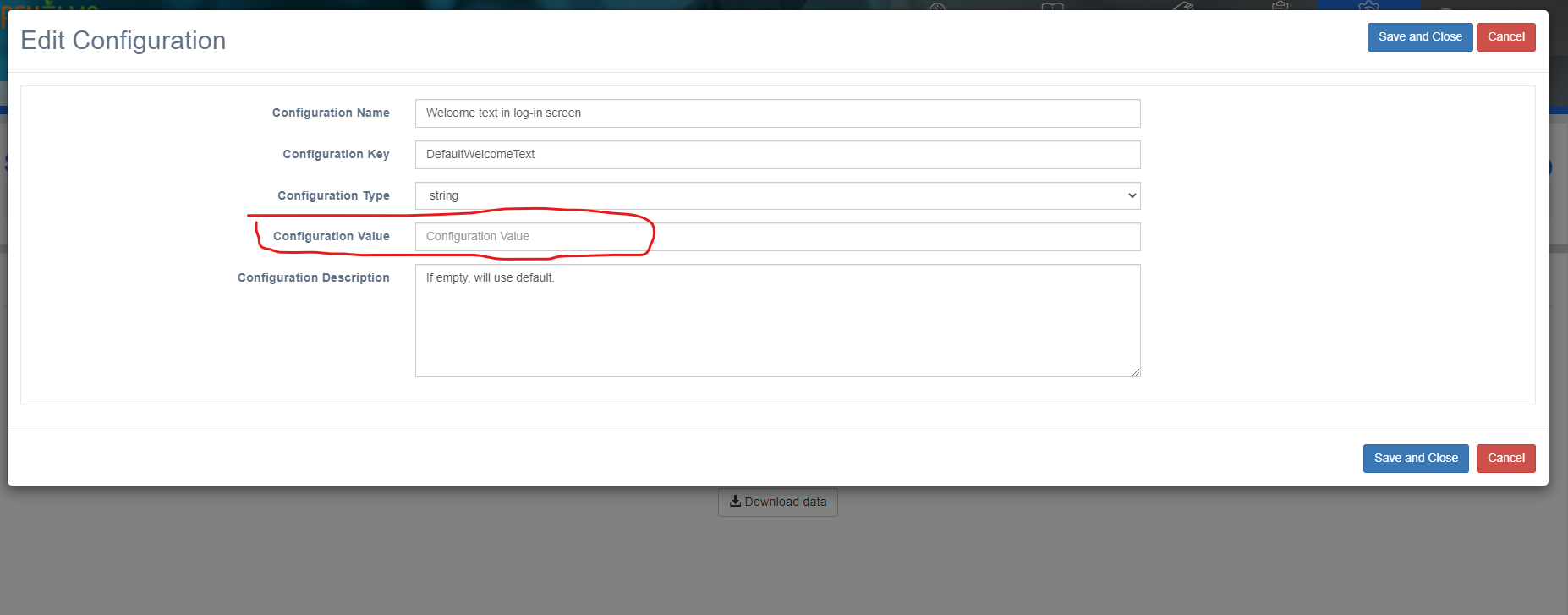
This will then change the welcome text on the login page.
NB: If you need to include a hyperlink then this can be done by including the following code:
<a href="full link here" target="_blank">click here</a>
‘'full link here’' - replace with url
click here - replace with text you want the hyper link to display