Add 'Programme Status' Fields
You can use the Programme Status feature to report on how learners are progressing and use as an internal reporting measure.
📘 Instructions
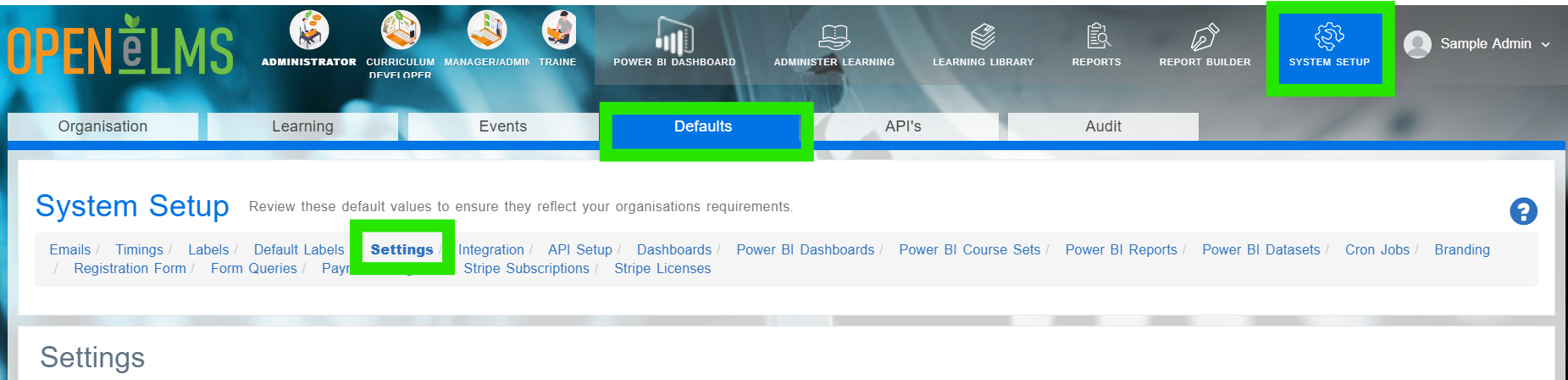
Login as an Administrator and go to System Setup/Defaults/Settings.
Type ‘programme status’ in the name box - this will reveal ‘Custom Programme Status’
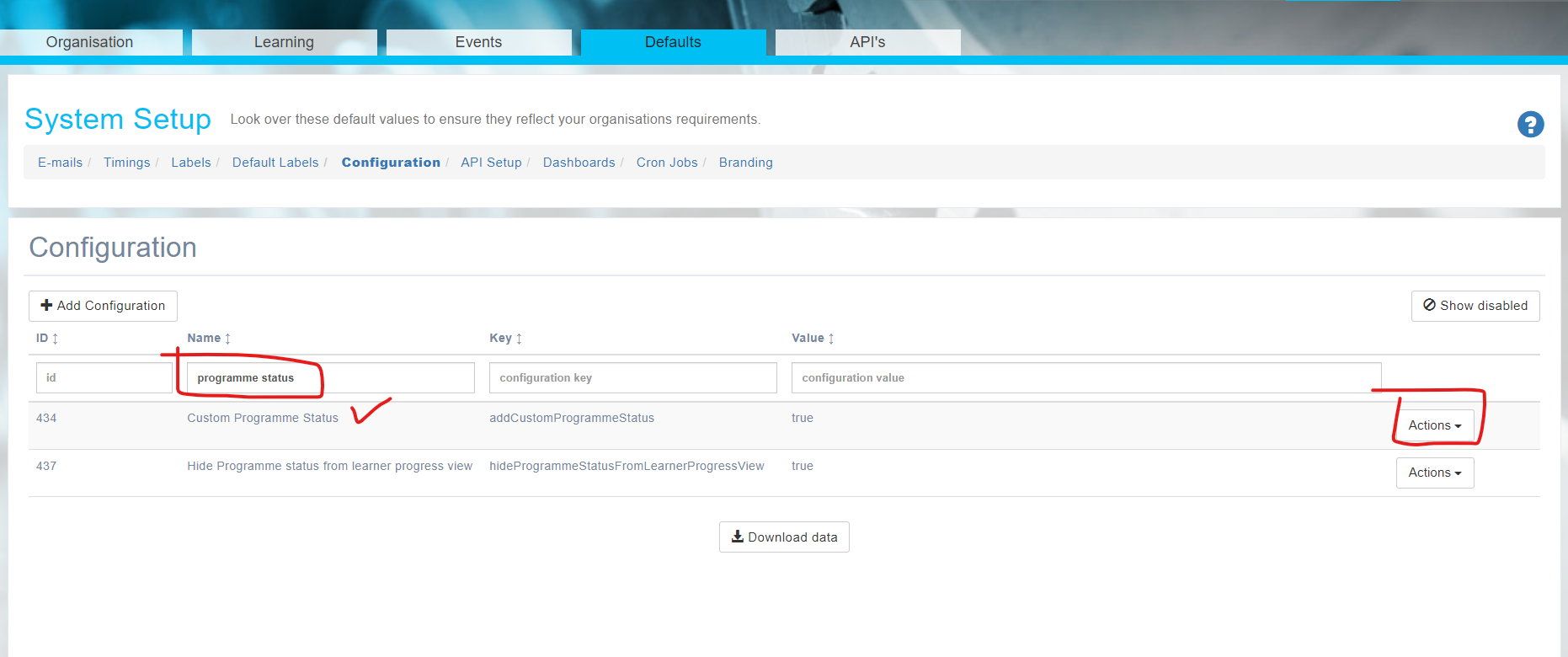
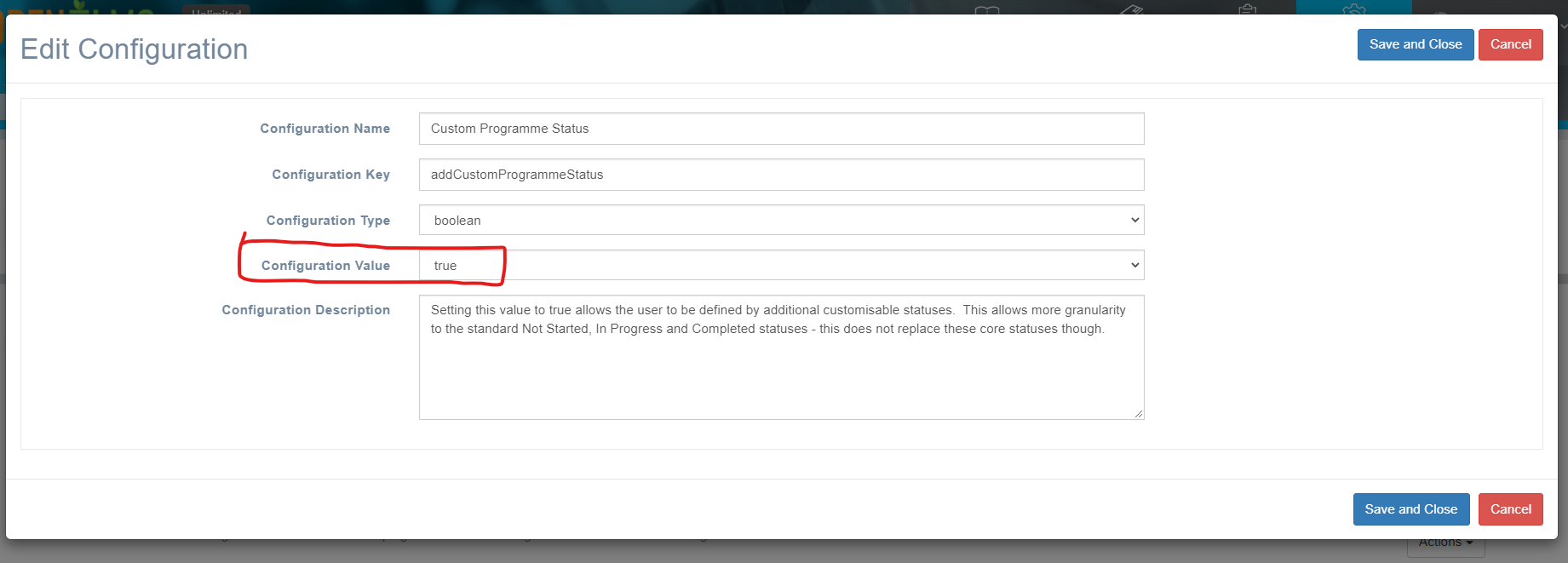
Click on the ‘Actions’ button and choose ‘Edit’ - Change the Configuration Value to ‘True’
Reload the page and you will now see the option to add Custom Programme Status in the Learning Tab (System Setup)
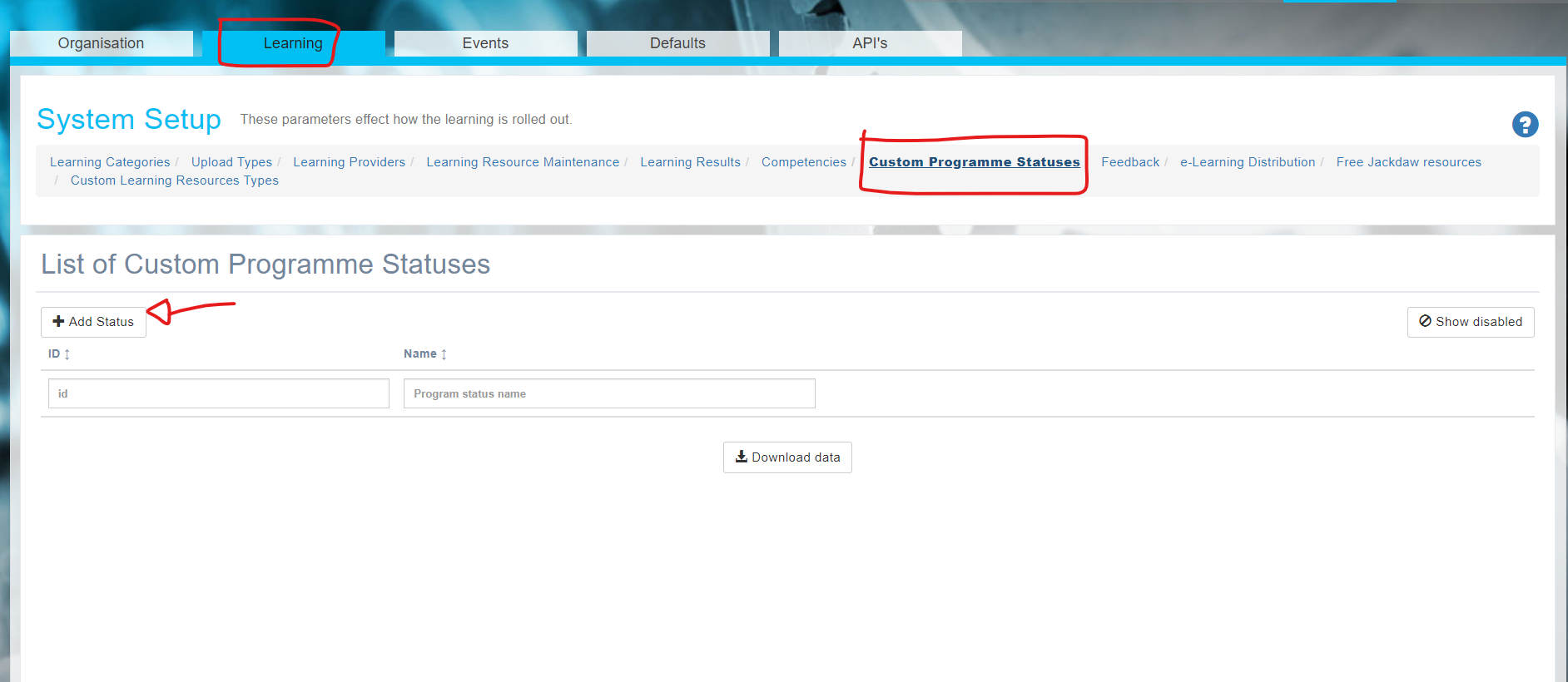
You can now add your own Programme Status options with colour codes
📋 Related articles
- Page:
- Page:
- Page:
- Page:
- Page: